
Seedream 5.0 Pro

Move from a complex brief to a polished visual with stronger reasoning, dense layout control, realistic light, and multilingual creation. Explore the professional tier alongside Seedream 5.0 Lite and Seedream 4.5.

How to create and edit with Seedream 5.0 Pro

Start from text or a reference image, make the requested change explicit, and review the result before you export.

Your image
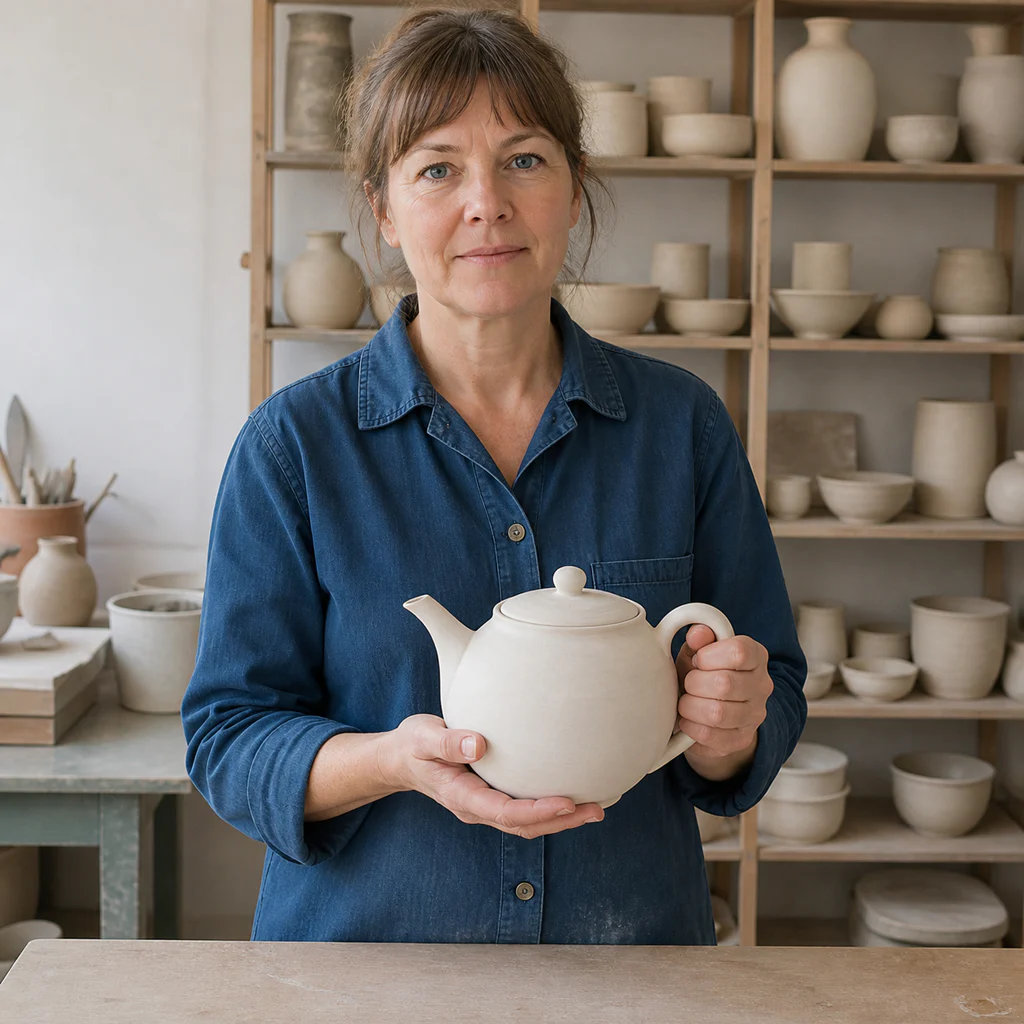
Neutral ceramic artist portrait used as the Seedream 5.0 Pro editing reference
Add a reference image

Step 1: Add a reference (optional)

Upload an image when identity, product shape, pose, composition, or visual direction should carry into the result.

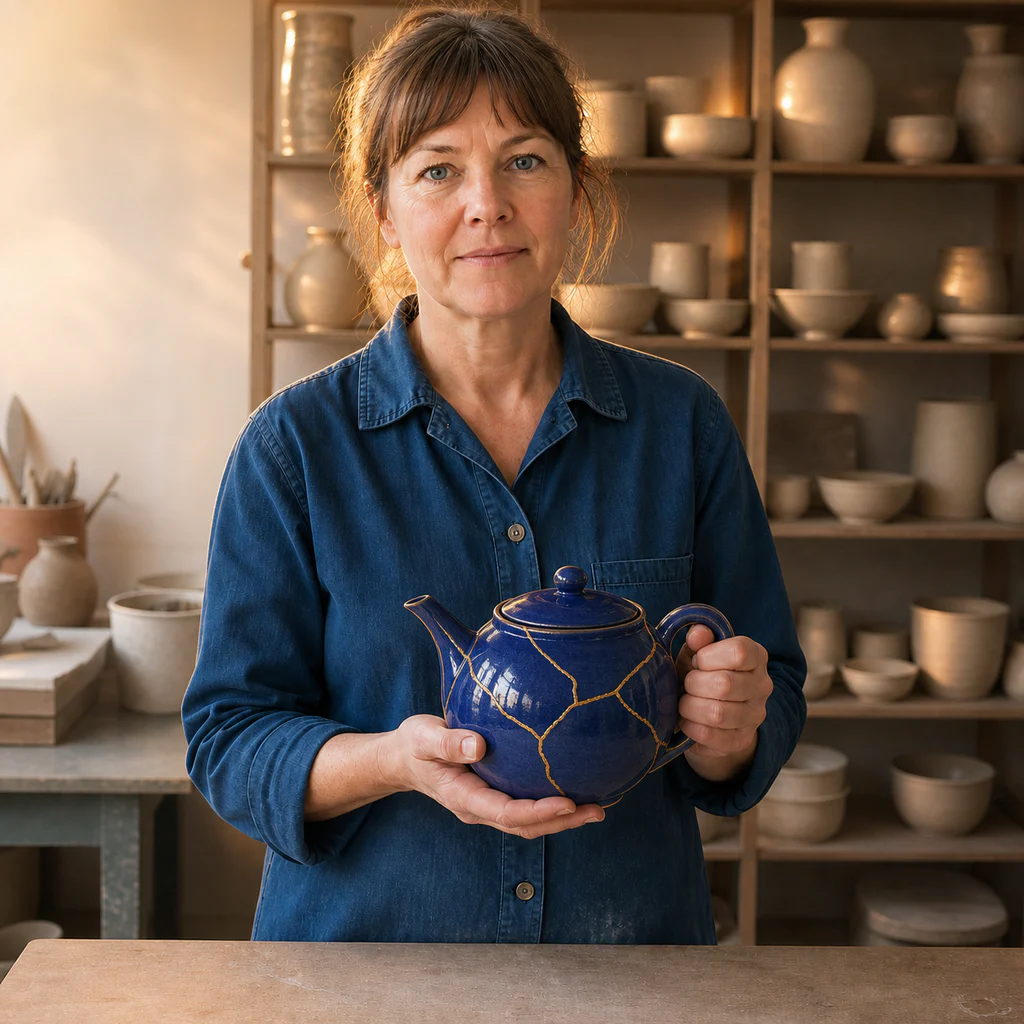
Keep the ceramic artist, face, pose, blue shirt, hands, camera, and studio layout unchanged. Glaze only the teapot deep cobalt blue with fine gold repair lines and add warm editorial rim light.

Step 2: State the change and invariants

Describe the target, action, layout, style, and lighting. For edits, say exactly what must remain unchanged.

Edited ceramic artist portrait with the same composition and a cobalt kintsugi teapot

Step 3: Generate, inspect, and refine

Check faces, hands, text, product structure, and reference fidelity, then adjust one instruction at a time.

What Seedream 5.0 Pro is built to handle

Use the professional model when a visual needs structured information, realistic materials, careful composition, or a controlled reference-based workflow.

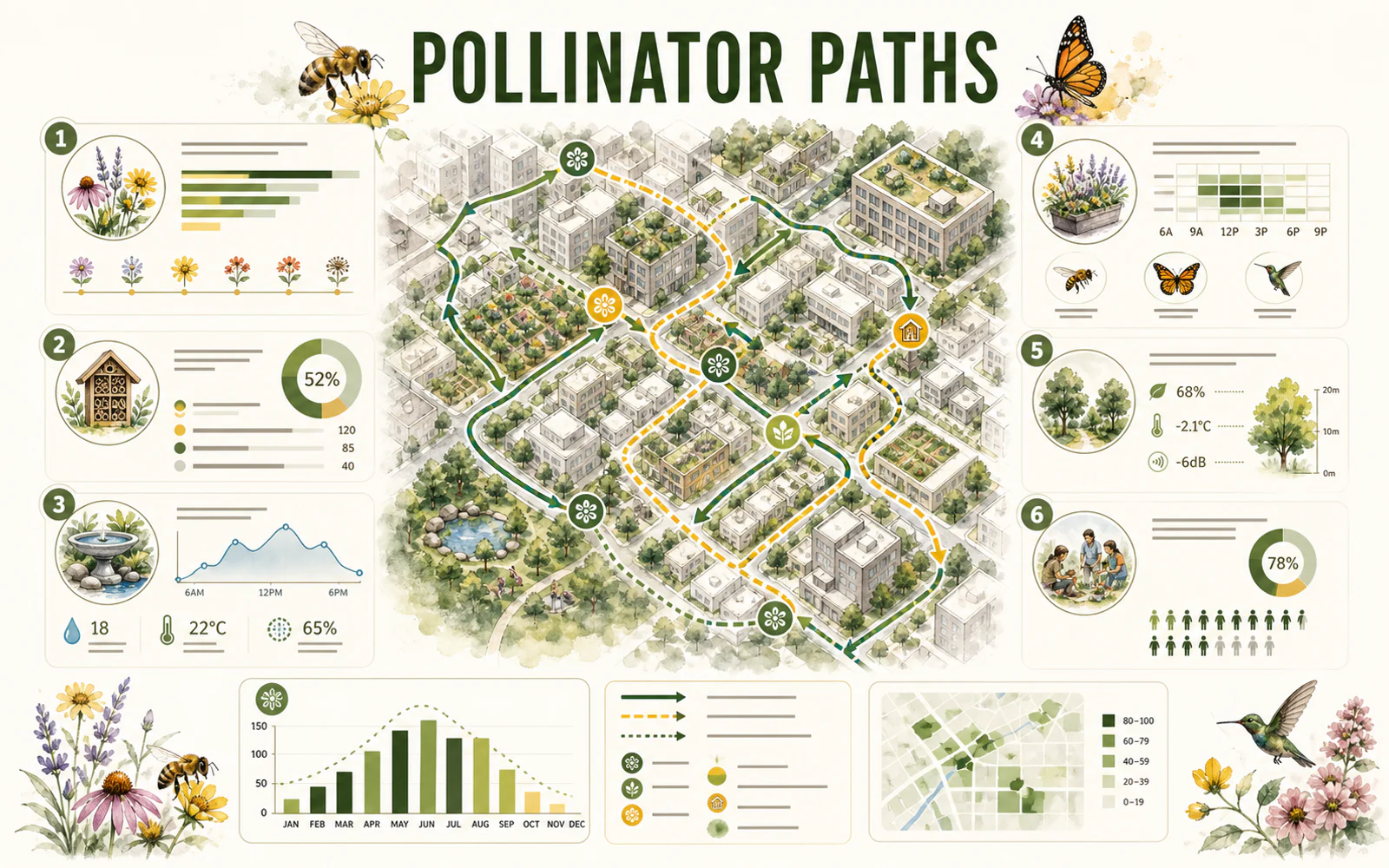
Editorial pollinator-path infographic with a city map, charts, icons, and structured modules

REASONING & INFORMATION DESIGN

Organize more information without losing the story

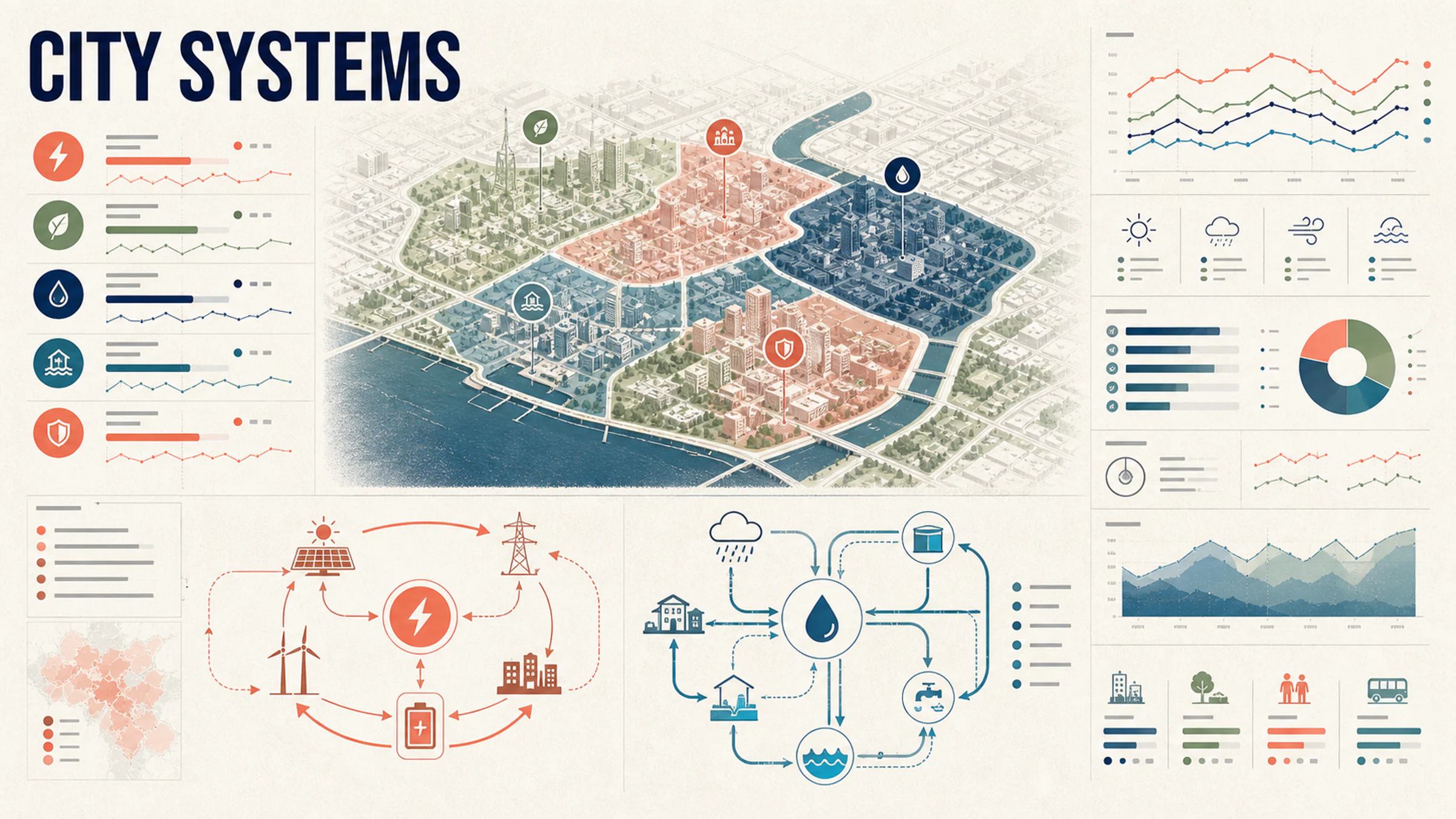
Seedream 5.0 Pro is designed for high-density infographics and complex layouts. Give the content a hierarchy, name the visual format, and specify the audience and reading order.

  • Define the map, chart, diagram, and key modules
  • Quote short text exactly and verify it before publishing
  • Reserve white space so dense information stays readable
Glass artist examining a hand-blown vessel under warm furnace light and cool window light

PHOTOGRAPHIC QUALITY & CONTROL

Keep light, skin, glass, fabric, and metal believable

The model targets authentic physical lighting, shadow, skin texture, and material response. Concrete camera, light, and surface language makes the result easier to direct.

  • Name the camera distance and the primary light source
  • Describe how glass, metal, fabric, or liquid should behave
  • Inspect hands, reflections, edges, and contact shadows at full size

Field cartographer beside a pearl-white mobile lab at dawn
The same cartographer opening the mobile lab equipment bay
The same cartographer approaching a salt-flat research station

SEEDREAM MODEL COMPARISON

Choose Pro, Lite, or 4.5 for the job

Seedream 5.0 Pro is the professional option for deeper reasoning, complex layouts, and precise refinement. Seedream 5.0 Lite is better suited to fast, scalable creator work. Seedream 4.5 remains a strong choice for reference consistency, multi-image editing, and typography-led design.

  • Choose Seedream 5.0 Pro for complex production briefs
  • Choose Seedream 5.0 Lite for faster campaign iterations
  • Choose Seedream 4.5 when reference fidelity is the priority
High-density city systems infographic with maps, loops, charts, and modular hierarchy
Show Seedream example 1

TURN THE FULL BRIEF INTO ONE CLEAR VISUAL

Describe the subject, relationships, layout, light, materials, and what must stay unchanged. Then create with Seedream 5.0 Pro on PixPix.

Seedream 5.0 Pro questions

Practical answers about the model, the Seedream family, prompting, references, and responsible use.

Seedream 5.0 Pro is ByteDance Seed's multimodal image generation model for advanced reasoning, efficient content creation, and professional production. Official materials highlight high-density infographics, interactive editing, photographic quality, and native multilingual generation.