PixPix has launched a TikTok feature that lets users replicate popular livestream shopping videos—hot-selling cases can now be cloned with a single tap.
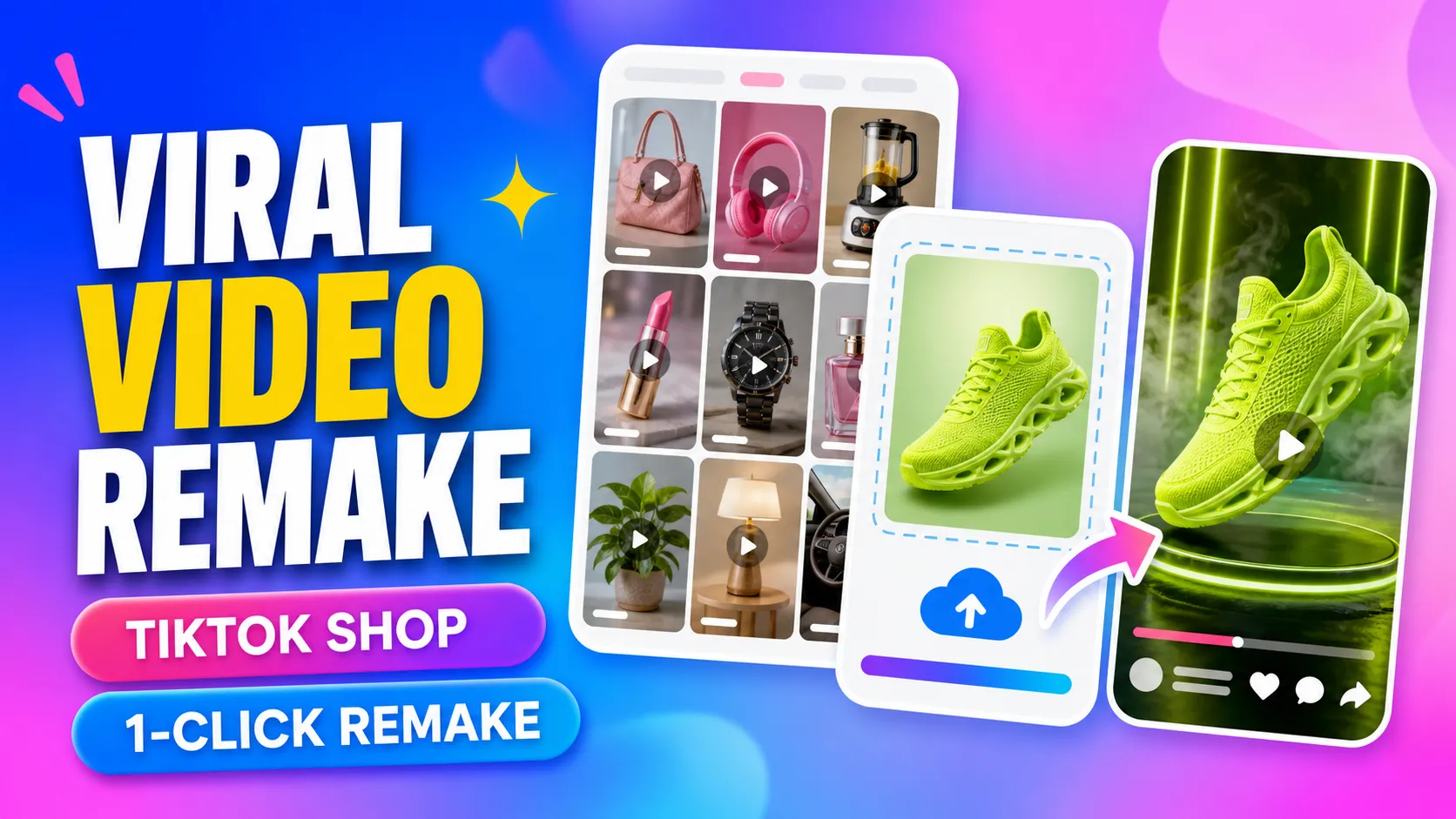
Every day, countless new product‑promotion videos appear on TikTok. For cross‑border sellers and content creators, finding worthwhile examples to reference isn’t difficult; what really takes time is the follow‑up production process: deconstructing the opening sequence, analyzing camera angles, organizing product presentation techniques, then rewriting the script, preparing materials, and editing the final video.
Recently, PixPix updated its Inspiration page titled “Discover Inspiration,” launching a feature that lets users replicate popular TikTok product‑promotion videos. Users can directly browse trending short videos, use the page’s metrics—such as views, sales volume, and revenue—to identify reference cases, and jump straight into the replication process from the original video, turning their own product materials into fresh promotional clips.
I. From Browsing Trending Videos to Jumping Straight into Production
In the past, when conducting research for TikTok videos, operators typically had to first scroll through the platform, then separately save promising examples, followed by organizing links, screenshots, scripts, and reference materials.
This time, PixPix has streamlined this entire process directly into the Inspiration page.
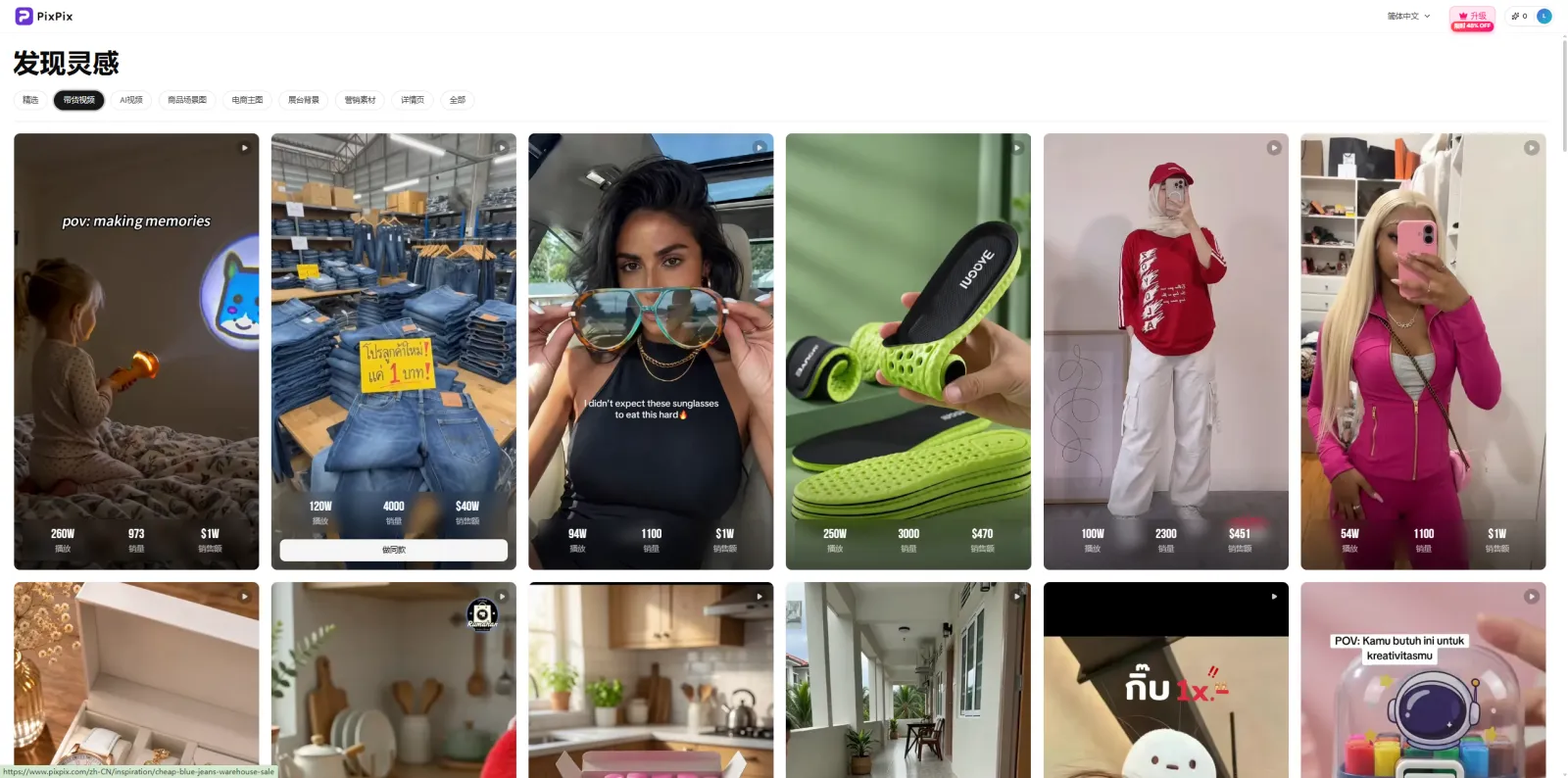
The PixPix Inspiration page, “Discover Inspiration,” showcases popular product‑promotion videos along with key performance metrics like views, sales volume, and revenue.
By entering the “Discover Inspiration” section and switching to “Product‑Promotion Videos,” users can explore trending short videos featuring various products and content formats. Currently, the page highlights common e‑commerce video types such as real‑person outfit styling, product demonstrations, lifestyle scenes, and functional showcases.
Each video card displays metrics like views, sales volume, and revenue, enabling operators to quickly assess each video’s performance while browsing and determine which formats are worth further referencing.
Once a suitable video is found, users can immediately enter the replication workflow without needing to re‑download the clip or manually organize reference materials.
For TikTok operators who must constantly seek creative direction, this step significantly reduces the effort required between spotting an example and starting production.
II. Upload Your Own Products and Generate New Content Based on Popular Videos
After entering the replication process, users can upload images of their own products.
PixPix will analyze the selected video’s camera movements, character or product actions, pacing, and overall structure, then combine these insights with the user‑uploaded product materials to create a new promotional video.
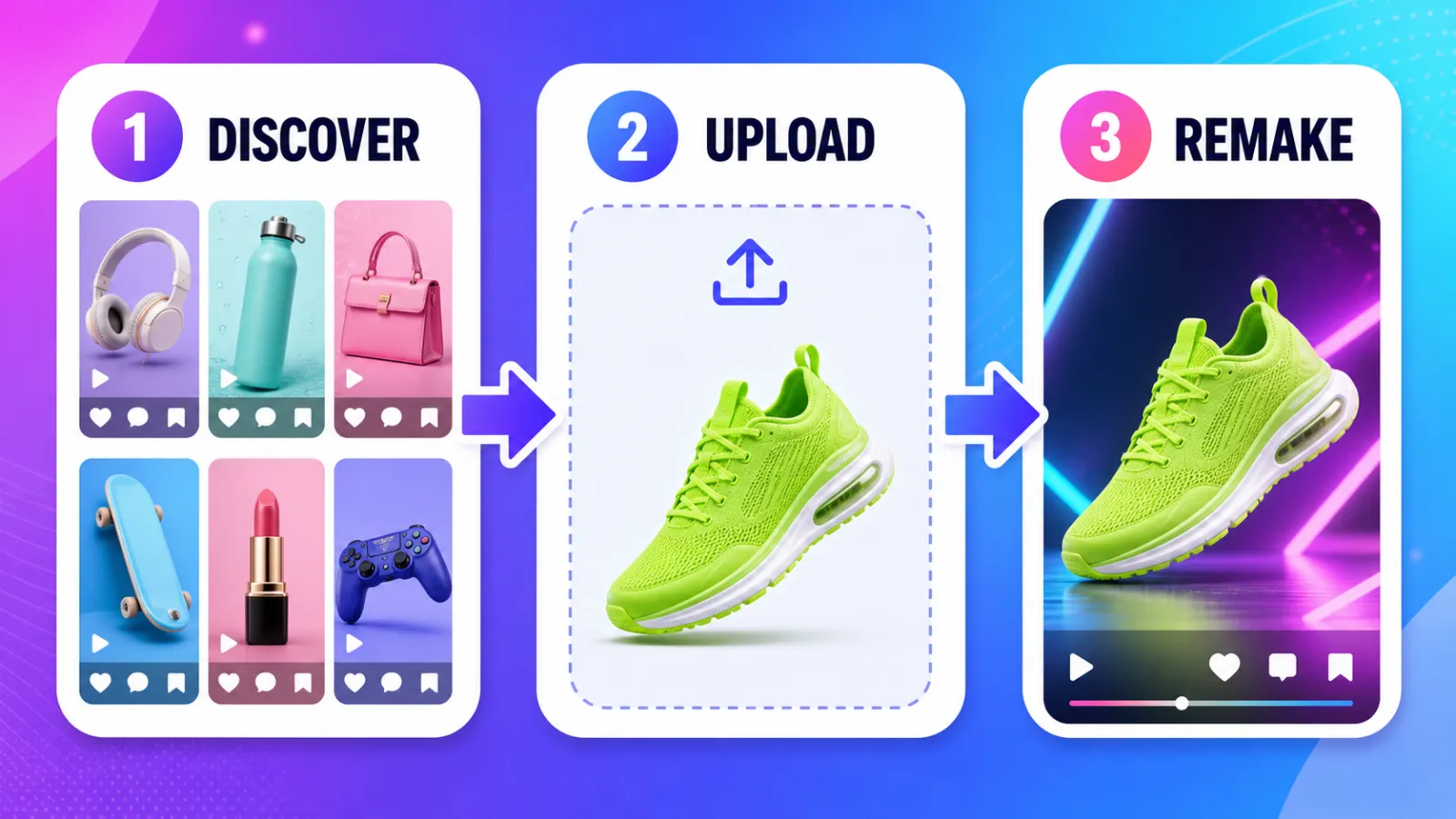
Identify trends from popular examples, upload your own products, and generate fresh promotional videos.
For instance, if a shoe video follows a structure of “handheld showcase—close‑up details—footwear demonstration,” sellers can adopt this shot arrangement to recreate a similar video for their own shoes. Similarly, apparel sellers can draw inspiration from well‑executed real‑person styling, mimicking the movements, composition, and rhythm to craft new presentation versions for their products.
In this way, popular videos serve as ready‑made creative references, saving users from having to design an entirely new video concept from scratch.
For teams that need to continuously refresh their TikTok content, this approach is also ideal for rapidly testing different video structures and product selling points.
III. If You’re Unsure What to Film Next, Start by Reviewing Trending Examples
As short‑video operators gain experience, they often face a very practical challenge: the same products keep appearing, yet the content must constantly evolve.
While the core product benefits remain unchanged, operators still need to continually search for fresh openings, innovative presentation styles, and new content frameworks.
This is precisely where the Inspiration page excels at providing solutions.
Operators can first observe how popular videos typically begin, at what second the product appears, how characters showcase the item, and how camera transitions are executed, then decide which approaches best suit their own products.
For example, for the same everyday household item, one could experiment with different strategies such as addressing pain points, showcasing real‑world usage, highlighting functionality, comparing before-and-after scenarios, or demonstrating it in everyday life settings.
Once a suitable reference case is identified, jumping directly into the replication process proves far more efficient than starting from a blank script.
IV. One Product, Multiple Video Versions Can Be Tested Continuously
It’s rare for a single version of a product‑promotion video to deliver optimal results.
For TikTok Shop sellers and advertising teams, the same product usually requires ongoing experimentation with diverse openings, selling points, and content formats.
After identifying a suitable content structure through popular videos, you can continue to experiment with different product visuals, copywriting approaches, and presentation styles to create multiple video versions, then refine your choices based on subsequent performance data from publishing and ad placements.
If there isn’t an obvious reference video available yet, you can also open the PixPix workspace to create a product video—starting with product images and key selling points to generate engaging content.
Currently, PixPix offers a range of e-commerce content tools, including video replication, livestream‑ready videos, AI‑generated videos, as well as product image sets, image repurposing, advanced photo editing, and A+ detail page creation.
For cross‑border teams that need to handle both image and video assets, they can seamlessly continue creating additional content within the same workflow, cutting down on time spent switching between multiple tools and organizing materials.
V. Combining “Finding Inspiration” with “Creating Content”
This latest Inspiration update doesn’t introduce complicated new steps; its core change is straightforward: once users discover a popular video worth referencing, they can immediately jump into the production process.
Previously, the typical workflow might have looked like this:
Scrolling through TikTok → Saving the video → Organizing references → Breaking down shots → Opening a production tool → Uploading materials → Starting the edit.
Now, the process can be streamlined to:
Browsing popular videos → Checking analytics → Selecting a case study → Uploading products → Beginning replication.
For cross‑border sellers, small operations teams, and TikTok creators who frequently post short videos, this saves significant time upfront in sourcing materials and compiling references, while also enabling faster testing of new content ideas.
It’s important to note that the performance of a popular video is influenced by various factors, including the product itself, pricing, account strength, target audience, posting time, and more. When using the replication feature, it’s best to focus on replicating the content structure, visual storytelling, and product presentation style, then fine-tune these elements to suit your own offerings.
When incorporating brand imagery, personalities, music, or other third‑party content, always adhere to the relevant platform’s content guidelines and copyright policies.
At present, PixPix’s TikTok popular livestream‑ready video replication feature is live—interested users can head over to try it out!
Browse popular examples on PixPix Inspiration and start replicating
Enter the PixPix workspace to continue producing videos and preparing product assets

AI Image Tool Built for E-commerce Teams
For new product launches, advertising, and promotional campaigns, use AI to generate product images, scene visuals, ad creatives, and short video assets — making content production faster.