PixPix has launched two new AI video tools: Video Enhancement and Watermark Removal, now officially available.

After working on short videos for a long time, many teams accumulate a collection of footage that “can still be used, but the visual quality isn’t ideal.”
Some are product videos shot in the early days; after multiple transfers and platform‑level compression, the images have become noticeably blurry. Others are videos left behind by suppliers, internal accounts, or internal projects, bearing outdated watermarks, logos, or other visual identifiers no longer needed. Re‑shooting this footage would be costly, yet discarding it feels wasteful.
To address these two common video‑processing needs, PixPix has recently added two new tools: AI Video Enhancement and AI Video Watermark Removal. Users can directly upload existing videos on the web interface to further refine the visuals, preparing cleaner, sharper source material for subsequent product showcases, short‑video editing, and marketing content creation.
Currently, both the PixPix Video Enhancement tool and the PixPix Video Watermark Removal tool are live.
I. Video Enhancement: Giving Blurry Old Footage More Usability
Often, the decline in video quality for e‑commerce isn’t due to problems with the original shoot itself.
A video that was originally well‑shot may gradually develop issues like soft images, indistinct product edges, or diminished texture details after being repeatedly downloaded, forwarded, and compressed across WeChat, social media platforms, cloud storage, or different teams.
Especially for close‑up shots of products, unboxing scenes, or live‑action demonstrations, once the image becomes blurry, the presentation of material textures and fine details suffers as well.
Re‑shooting is certainly an option, but if the original camera angles, movements, and overall structure remain usable, completely redoing everything just because of poor image quality adds unnecessary time and production costs.
In such cases, you can first use the PixPix Video Enhancement tool to enhance the quality of your existing footage.

Upload your existing video into the PixPix Video Enhancement tool and select the appropriate processing mode based on the footage’s condition.
For example, a previously shot product showcase video might have good composition but lack sufficient clarity; a supplier‑provided product clip could appear soft after compression; or certain shots from an old advertisement may still be suitable for a new round of content creation. In each case, try enhancing the clarity first before deciding how to proceed.
For teams that run stores over the long term and consistently post short videos, this also means that previously accumulated footage doesn’t have to be discarded simply because of image quality issues.
II. Video Watermark Removal: Dealing with Unnecessary Visual Markers in Existing Footage
Besides image quality concerns, watermarks are another frequent issue encountered during video‑asset organization.
For instance, older logos may still appear on videos exported by a team; materials saved under an internal account might carry platform‑specific markings; or even licensed footage may contain text, watermarks, or other elements that no longer need to be retained.
If you were to re‑enter professional post‑production software just to clean up one small area, the entire process would become quite cumbersome.
PixPix’s newly launched AI Video Watermark Removal tool offers a more straightforward solution. After uploading your video, follow the onscreen prompts to remove unwanted watermarks or identifying marks, then continue using the cleaned footage for editing and content creation.
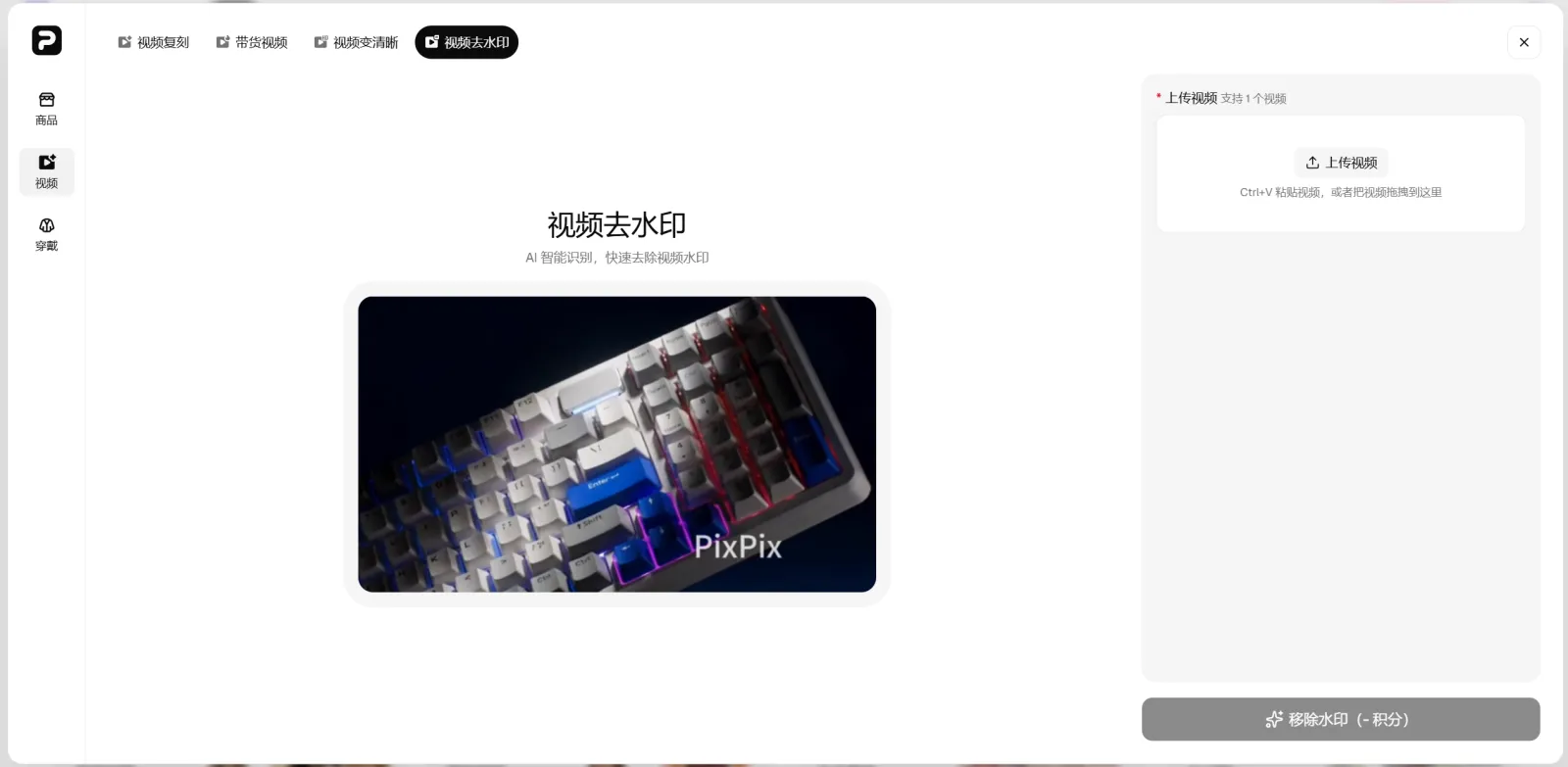
Upload videos for which you hold the relevant usage rights, and remove any unnecessary visual markers according to the instructions provided.
For operations staff, these tools are especially suited to handling ad‑hoc video‑cleanup tasks: no need to set up complex post‑production workflows—just tidy up the base footage first, then move on to the next stage of production.
It’s important to note that video watermark removal does not alter the original copyright ownership of the footage. We recommend only processing videos for which you hold full copyright, have obtained proper authorization, or clearly possess editing and usage permissions. When dealing with third‑party brands, creator works, or platform‑related copyright markings, always adhere to applicable copyright laws and platform policies.
III. What E‑Commerce Asset Issues Can These Two Features Address?
Video enhancement and video watermark removal tackle distinct challenges, yet they often arise within the same asset‑organization workflow.
1. Reusing Historical Product Videos
The longer a store operates, the more product videos it accumulates.
For previously filmed videos—such as unboxing, product showcases, real‑world experiences, and feature demonstrations—if the content remains relevant but the video quality no longer meets current audience expectations, you can first enhance the resolution and then re‑edit them into new short clips.
2. Supplier Material Organization
Cross-border sellers often need to use product materials provided by brands, manufacturers, or suppliers.
These videos come from diverse sources, with varying camera equipment, export settings, and compression levels. Before diving into formal content production, it’s advisable to enhance clarity and perform basic image cleanup based on the source material; this will help minimize the need for repeated adjustments during post‑production editing.
3. Re-editing of old advertising materials
An advertising video may no longer be suitable for direct release, but certain product close-ups, usage scenarios, or character shots within it can still hold value.
Once the usable footage has been organized and the image quality enhanced, you can proceed to add new ad versions without having to shoot every shot from scratch each time.
4. Compilation of short-video content across multiple platforms
The same product often requires creating videos simultaneously for TikTok, Reels, your independent website, and other marketing channels.
When assets circulate repeatedly across different platforms and teams, issues like compression artifacts and remnants of outdated branding can easily arise. By first assembling a clean, baseline version of the video and then creating platform‑specific edits, subsequent content production will flow more smoothly.
4. Basic video editing can be completed directly on the web.
The underlying principles behind both tools are quite straightforward.
When you need to enhance video quality, you can access the AI Video Enhancement Tool, upload the video you wish to process, and then follow the on-screen instructions to submit your task and view the results.
If you need to remove watermarks or other visual markings, you can access the AI Video Watermark Removal Tool, upload a video for which you have the necessary usage rights, and complete the processing according to the actual content of the footage.
For the operations team, the advantage of this standalone tool lies in its clearly defined requirements.
If the video is blurry, simply enhance its clarity; if there are unwanted watermarks in the frame, process only those specific areas. There’s no need to jump back into a full‑featured professional editing workflow just for a basic task.
V. PixPix Continues to Enhance Its E-commerce Video Processing Capabilities
With the launch of enhanced video clarity and watermark removal, PixPix’s video tools have expanded their scope to encompass processing existing media as well.
Previously, PixPix offered video‑creation features such as video re‑creation and livestream‑shopping videos. Now, in addition to generating new videos from product images and reference materials, users can also continue editing their existing video content.
In practice, when creating e-commerce content, these two types of needs often coexist.
Sometimes you need to create a brand-new product video from scratch, while other times you already have suitable footage and simply need to sharpen the visuals, remove unnecessary elements, and continue editing.
By integrating common generation and post‑processing capabilities into a single suite—PixPix Tools E‑commerce Toolset—you can also cut down the time operations and design teams spend hunting for tools across different software and repeatedly transferring assets.
For cross-border sellers and content teams that update their short videos frequently, even older clips in their asset libraries are worth revisiting. When the content itself still holds value, addressing specific issues like video quality and watermarks first is often more efficient than starting from scratch with a new shoot.
Currently, PixPix AI video enhancementandAI video watermark removalare both officially launched.
To enhance the clarity of blurry video footage, you can use PixPix Video Enhancement; to remove watermarks from your own or licensed videos, go to PixPix Video Watermark Removal.

AI Image Tool Built for E-commerce Teams
For new product launches, advertising, and promotional campaigns, use AI to generate product images, scene visuals, ad creatives, and short video assets — making content production faster.