PixPix launches a video replication feature: simply upload product images and a reference video to quickly generate a product advertising video.
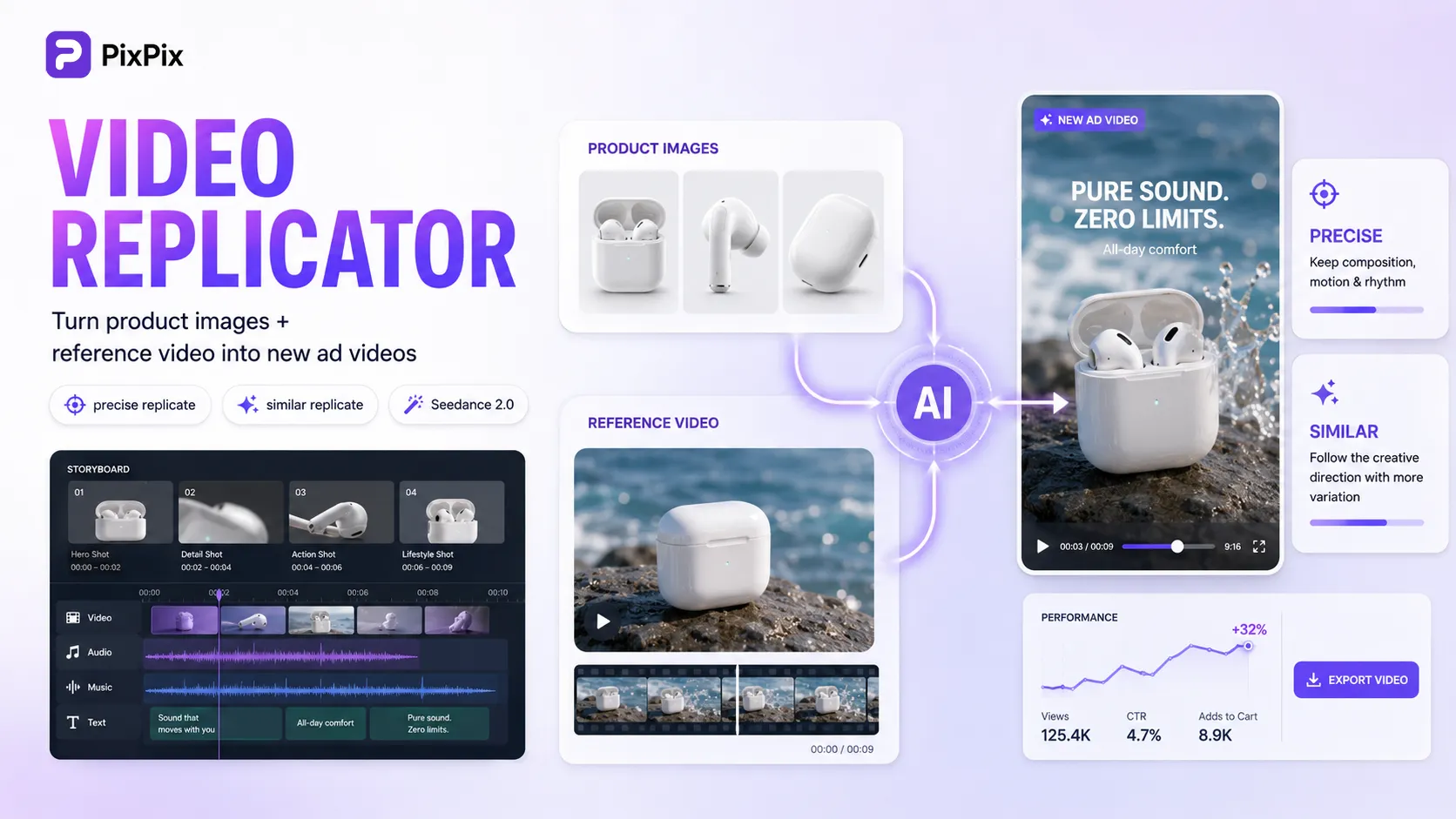
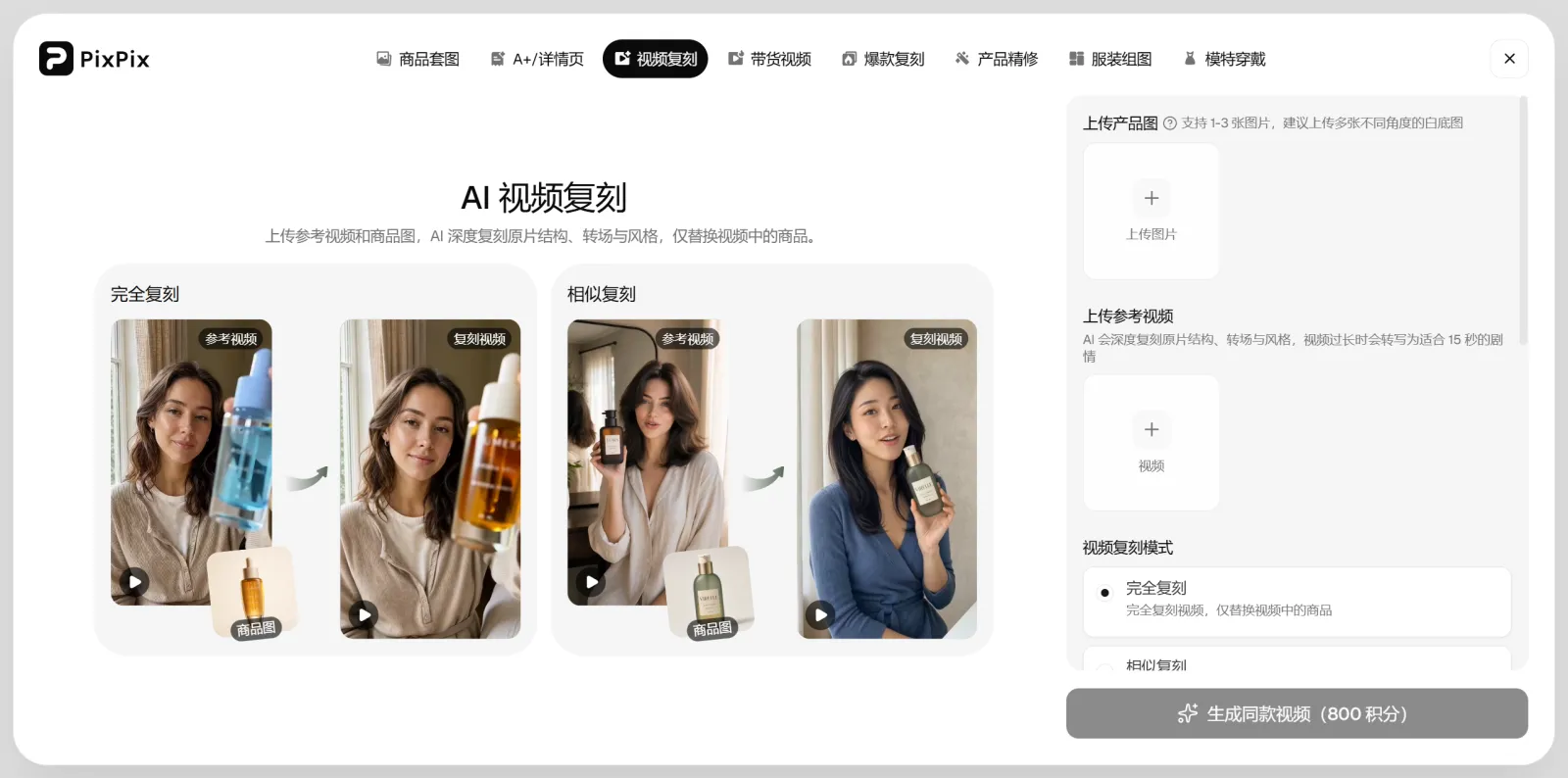
PixPix recently officially launched its “Video Replication” feature, further expanding the ways in which product content can be created—from images to videos. Users can upload one to three product images and add a reference video; based on the camera movements, main subject actions, transitions, and pacing of the reference video, PixPix will then generate a new marketing video featuring their own products.
This feature is now available on the PixPix web platform at PixPix and currently supports two modes: precise replication and similar replication. Users can also customize language, aspect ratio, and key selling points according to their target market.
For e‑commerce sellers and content teams, if they’ve already found a short‑video concept that suits their products, there’s no need to start from scratch with scripting, storyboarding, or shot design. Instead, they can use the reference video as a creative foundation and recreate corresponding content using their own product materials.
I. PixPix Video Replication Feature Officially Launched—What Types of Content Can Be Replicated?
PixPix video replication isn’t simply replacing an object within the video, nor is it just adding filters to the original footage.
During the generation process, PixPix simultaneously analyzes product images, the reference video, and textual requirements. Product images provide information about the product’s appearance and structure, while the reference video supplies details on camera movements, human or product actions, transition styles, and overall pacing.
The final output places the user’s own product at the center, reorganizing the video frame accordingly.
At present, this feature primarily draws inspiration from the following elements:
shot sequences and camera movements;
main actions of people or products;
video transition styles;
product presentation pacing;
overall visual direction;
ambient sounds and sound effect rhythms.
For sellers, a more accurate understanding isn’t simply “copying a video,” but rather referencing the shooting techniques and expressive style of an existing video, then recreating content around their own products.
II. What’s the Difference Between Precise Replication and Similar Replication?
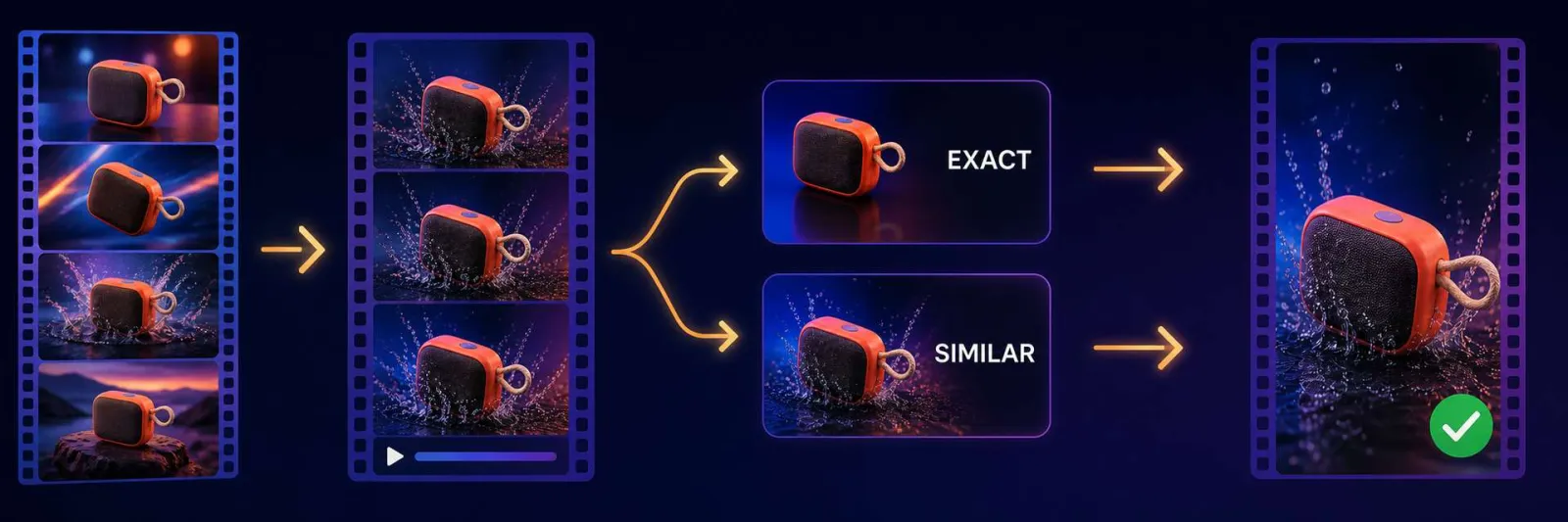
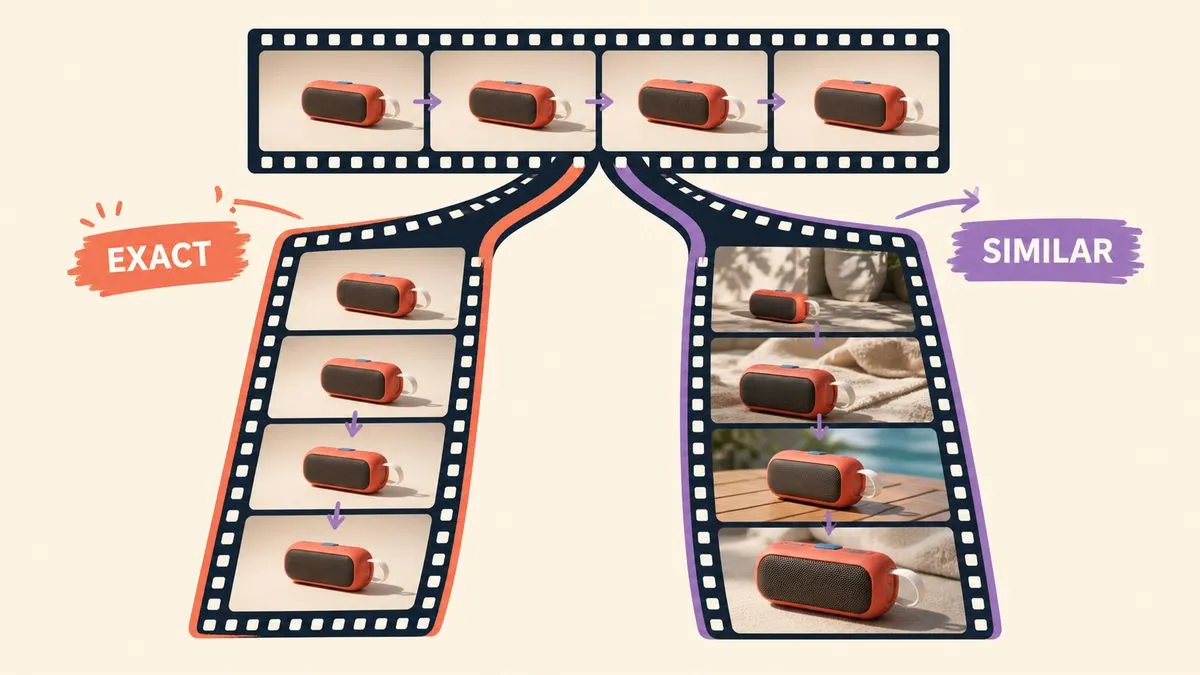
PixPixcurrently offers two video replication modes: precise replication and similar replication.
The primary distinction between these two modes lies in how closely the generated result matches the reference video.
comparison criteria | precise replication | similar replication |
|---|---|---|
primary objective | closely follows the reference video’s shots, actions, and transitions | retains the reference video’s creative direction and rhythm |
changes in visual composition | Relatively few | Allows for more reorganization |
Suitable scenarios | The product presentation style in the reference video already suits the current product | There are certain differences between the product and the reference clip, requiring a rearrangement of shots |
Key points to check | Whether the product replacement is complete and whether the actions are reasonable | Whether the new footage still maintains the expressive direction of the reference video |
If the shot structure, character movements, and product presentation style in the reference video are inherently suitable for your own product, you can prioritize attempting an exact replication.
For example, if the reference video shows a perfume being picked up, its bottle displayed, sprayed, and finished with a close-up shot, and your product is also a perfume, then the original shot logic holds high reference value.
If the reference product differs significantly from yours in terms of size, usage method, or core selling points, it’s better to opt for a similar replication instead.
For instance, if the reference video showcases a small device operated with one hand, while your product requires two hands, you shouldn’t retain actions that contradict real‑world product logic just to maintain perfect consistency with the original clip.
III. What materials do you need to prepare before using video replication?
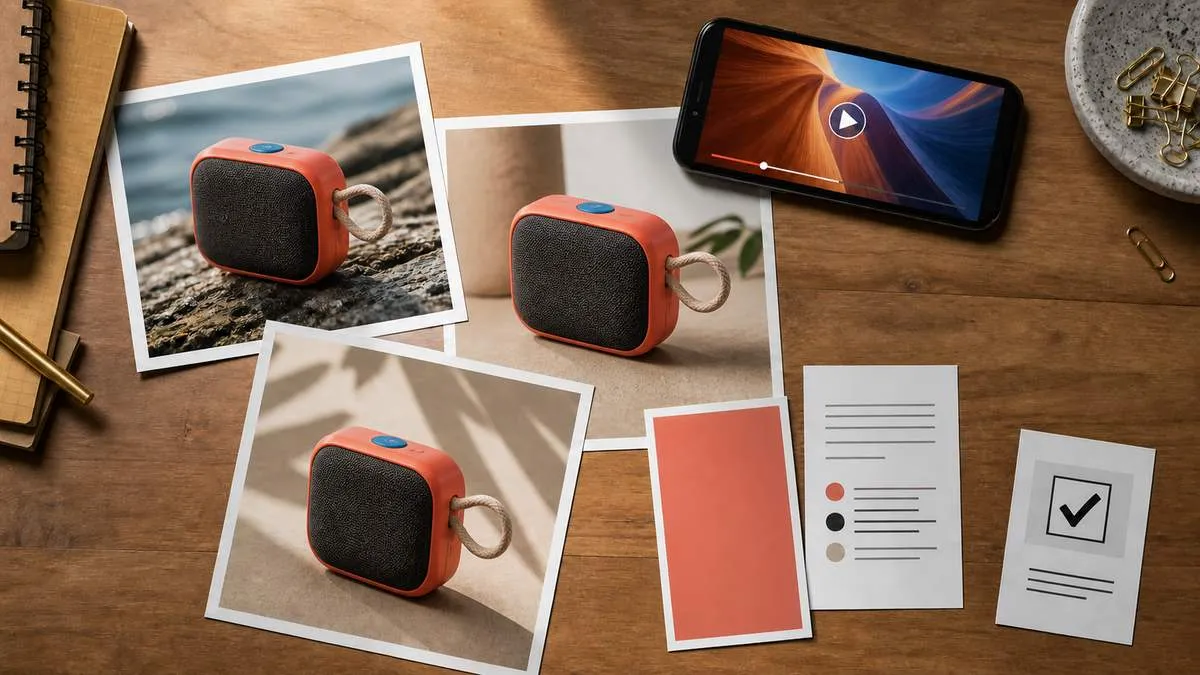
Video replication mainly requires two types of materials: product images and reference videos.
1. Product images
Users can upload 1 to 3 product images.
If only one image is available, it’s recommended to choose an angle that fully displays the main body and key structural features of the product.
If multiple images can be provided, prepare them separately:
Front view of the product;
Side views or images from different angles;
Images highlighting critical structural or material details.
It’s best if multiple reference images come from the same SKU and maintain consistent color, packaging, accessories, and product version.
Product images serve the purpose of “telling the model which product to showcase,” so the clearer the image, the easier it is for the model to grasp the actual appearance and structure of the product.
2. Reference video
The reference video primarily provides guidance on “how to shoot.”
When selecting a reference video, focus on evaluating three key issues:
First, assess whether the video’s shot rhythm suits your product.
Second, determine whether the character movements and product usage methods align with realistic product logic.
Third, verify whether you have proper authorization to use the relevant reference materials.
If the core actions depicted in the reference video clearly don’t match your product—for example, differing opening/closing directions, grip styles, or usage steps—then even if the visuals themselves are beautiful, such a video isn’t suitable as material for precise replication.
Additionally, the original brand logos, subtitles, pricing information, and promotional details featured in the reference video should not be directly carried over into the new product video.
IV. How to Use PixPix Video Replication?
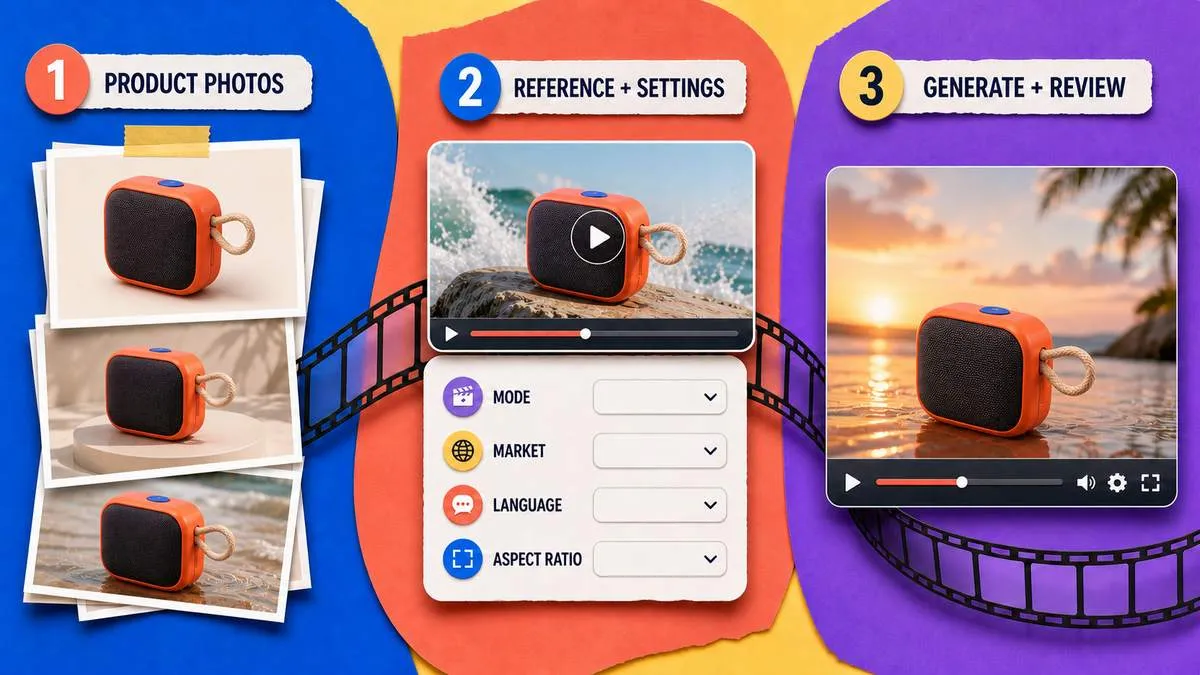
The main process of PixPix video replication consists of three steps.
Step 1: Upload Product Images
After entering the PixPix video replication feature, first upload 1 to 3 product images.
It is recommended to choose clear, unobstructed product materials so that the model can accurately recognize the product’s color, outline, structure, and key details.
Step 2: Add Reference Video and Select Replication Mode
Once in the editing stage, add a reference video and select either precise replication or similar replication according to your needs.
You can also set the target market, language, aspect ratio, as well as the product name and core selling points.
It is advisable to make your product selling points as specific as possible.
Rather than vague descriptions like “advanced,” “easy to use,” or “bestseller,” it’s better to provide concrete details about actual functions, target users, and usage scenarios.
For example:
“A portable wireless juicer cup—single-handed operation, with the cup body doubling as a travel mug—perfect for office use, travel, and post‑workout hydration.”
When mentioning specific information such as capacity, power, material, battery life, or discounts, always refer to the official product specifications and approved marketing copy.
Step 3: Generate and Review the Video
Once all settings are complete, submit the project for generation.
After the video is generated, first check the product’s structure, movements, camera transitions, and overall pacing, then verify subtitles, product selling points, and other marketing information.
If there are noticeable changes to the product itself, try replacing the reference image with a clearer one first.
If the product is fine but the actions in the reference video don’t match the real product, you can either switch to a different reference video or change from precise replication to similar replication.
V. How Can You Test Two Different Replication Effects Using the Same Reference Video?
If you wish to compare precise replication with similar replication, keep the product images, reference video, market, language, and aspect ratio unchanged, and simply toggle between the two replication modes.
This makes it easier to identify differences arising solely from the replication mode itself.
The exact replica version allows for focused observation of:
Whether the key actions have been fully preserved;
Whether the transition rhythm remains consistent;
Whether the original product in the reference video has been completely replaced;
Whether the new product fits naturally into the existing action sequence.
Whether the new product placement within the original motion appears reasonable.
For the similar replication version, focus on observing:
Whether the overall pacing still closely resembles the reference video;
Whether the logic behind showcasing the product has been retained;
Whether the camera angles have been appropriately adjusted to suit the new product;
Whether any new shots better suited to the current product have emerged.
There is no absolute superiority between these two modes; their effectiveness largely depends on how well the reference video aligns with the product itself.
VI. What E-commerce Content Scenarios Are Suitable for Video Replication?
Video replication is especially suitable for scenarios where you’ve already identified a clear content direction but don’t want to redesign an entire script and storyboard.
1. Creative testing for product advertisements
Once you’ve found an ad structure that suits your product, you can generate new versions using different product assets and then test various video directions.
2. UGC product content
When the character movements, product presentation style, and overall pacing in the reference video align with the characteristics of UGC content, you can recreate similar videos using your own products.
3. Product demonstration videos
For products with a clearly defined usage process, you can refer to the shot structure of existing demo videos and replace the product with your own.
4. Short-form social media content
For short-video platforms like TikTok and Instagram Reels, by referencing established vertical‑format content structures, you can reduce the steps required to redesign storyboards.
5. Multi-product content production
When multiple products share similar usage patterns, you can lock onto a proven content direction and then substitute individual product assets to create distinct versions.
VII. What should be adjusted if the video replication results are unsatisfactory?
When issues arise, it’s recommended to first identify the root cause rather than making simultaneous changes to all settings.
If there are noticeable changes in product color, buttons, interfaces, packaging, or accessories, prioritize checking whether the product reference images are clear and whether the angles are complete.
If the product appearance is correct but the character actions don’t match real-world usage, consider switching to a different reference video or opting for “similar replication” to reduce reliance on the original video’s movements.
If the generated result closely mirrors the reference video, leaving insufficient space for showcasing the product, you can also switch from precise replication to similar replication.
If the video’s pacing meets requirements but the key selling points aren’t expressed accurately, prioritize adjusting the product’s value proposition and text—there’s no need to replace all the original materials.
By adjusting only one major variable at a time, it becomes easier to determine whether the issue stems from the product image, the reference video, the replication mode, or the text settings.
VIII. What aspects should be checked after generation?
Even after AI video generation is complete, it’s still advisable to conduct a manual review before official release.
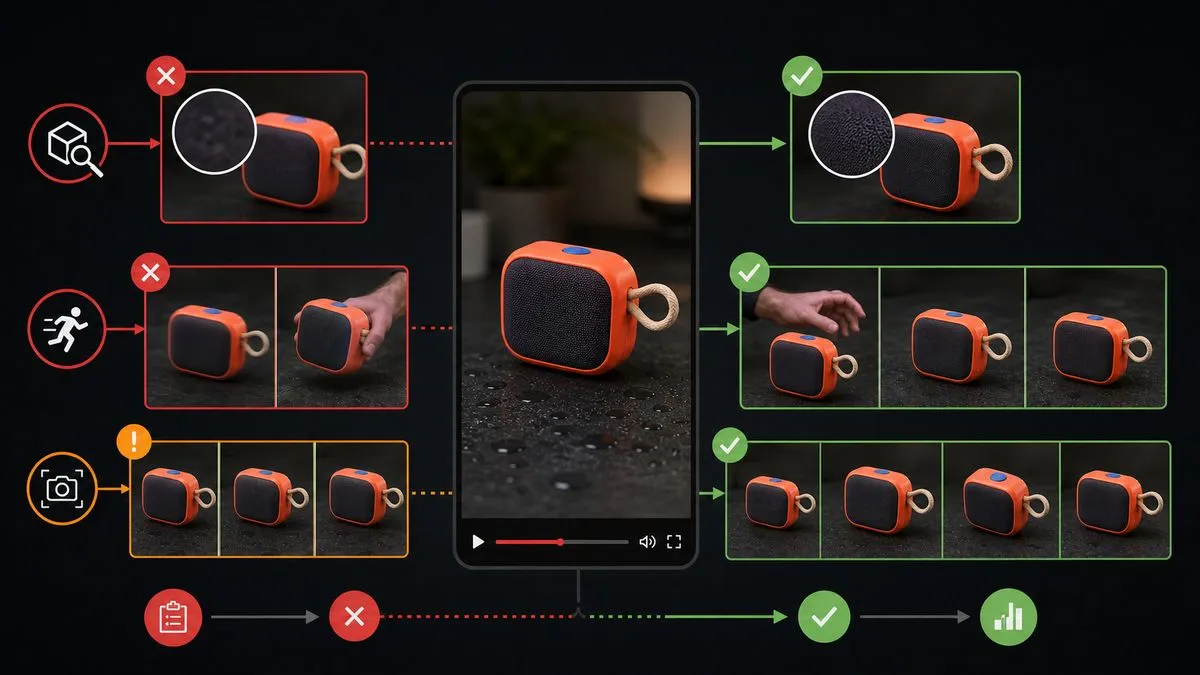
First, inspect the product itself, including:
Is the product color accurate?
Have the shape and proportions changed?
Are the buttons, interfaces, and structural components correct?
Do the packaging and accessory quantities match the actual SKU?
Next, check the actions.
If the video features characters picking up, opening, wearing, or operating the product, ensure these actions align with how the real product is used.
Then review the text and marketing information.
The product name, functions, specifications, price, discounts, and promotional terms must all adhere to authentic data and approved copywriting.
Finally, verify any brand elements, subtitles, music, or other content present in the original reference video to avoid introducing unverified material into the new marketing video.
IX. Common questions about PixPix’s video replication feature
1. Is video replication the same as PixPix’s livestream shopping feature?
No.
Video replication requires both product images and a reference video, focusing primarily on replicating the existing video’s shots, movements, transitions, and pacing.
PixPix’s product‑promotion videos are primarily created based on product images, video style, key selling points, or custom scripts, without requiring pre‑prepared reference videos.
2. How should you choose between exact replication and similar replication?
If the shots and product‑usage methods in the reference video already align well with your own product, you can opt for exact replication.
If you simply wish to draw inspiration from the video’s pacing and creative direction while reorganizing the visuals to suit your product, similar replication is a better choice.
3. What if the reference video is quite long?
PixPix’s video replication feature reorganizes the content of the reference video according to your generation settings. For longer videos, it’s recommended to carefully review after generation whether the core product shots, key actions, and main selling points have been preserved.
4. Can the content generated through video replication be used for e‑commerce marketing?
Yes, it can be used for product marketing and content creation; however, users must ensure they hold the appropriate usage rights for any uploaded product images, reference videos, and other materials.
Before official release, it’s also necessary to verify compliance with brand guidelines, music usage, portrait rights, product information, and platform‑specific requirements relevant to the intended use case.
Summary
PixPix’s video replication feature offers a fresh starting point for creating product videos.
In addition to generating videos from scripts and product images, users can now directly use an existing reference video as a creative foundation, reapplying its camera movements, main actions, transitions, and overall pacing to their own products.
Exact replication is ideal when the reference video closely matches your product, whereas similar replication provides greater flexibility to reorganize visuals for different products.
Currently, PixPix’s video replication feature is available on the web platform. Users can upload one to three product images and a reference video, select a replication mode, and generate new product‑marketing videos tailored to market preferences, language, aspect ratio, and specific product selling points.

AI Image Tool Built for E-commerce Teams
For new product launches, advertising, and promotional campaigns, use AI to generate product images, scene visuals, ad creatives, and short video assets — making content production faster.