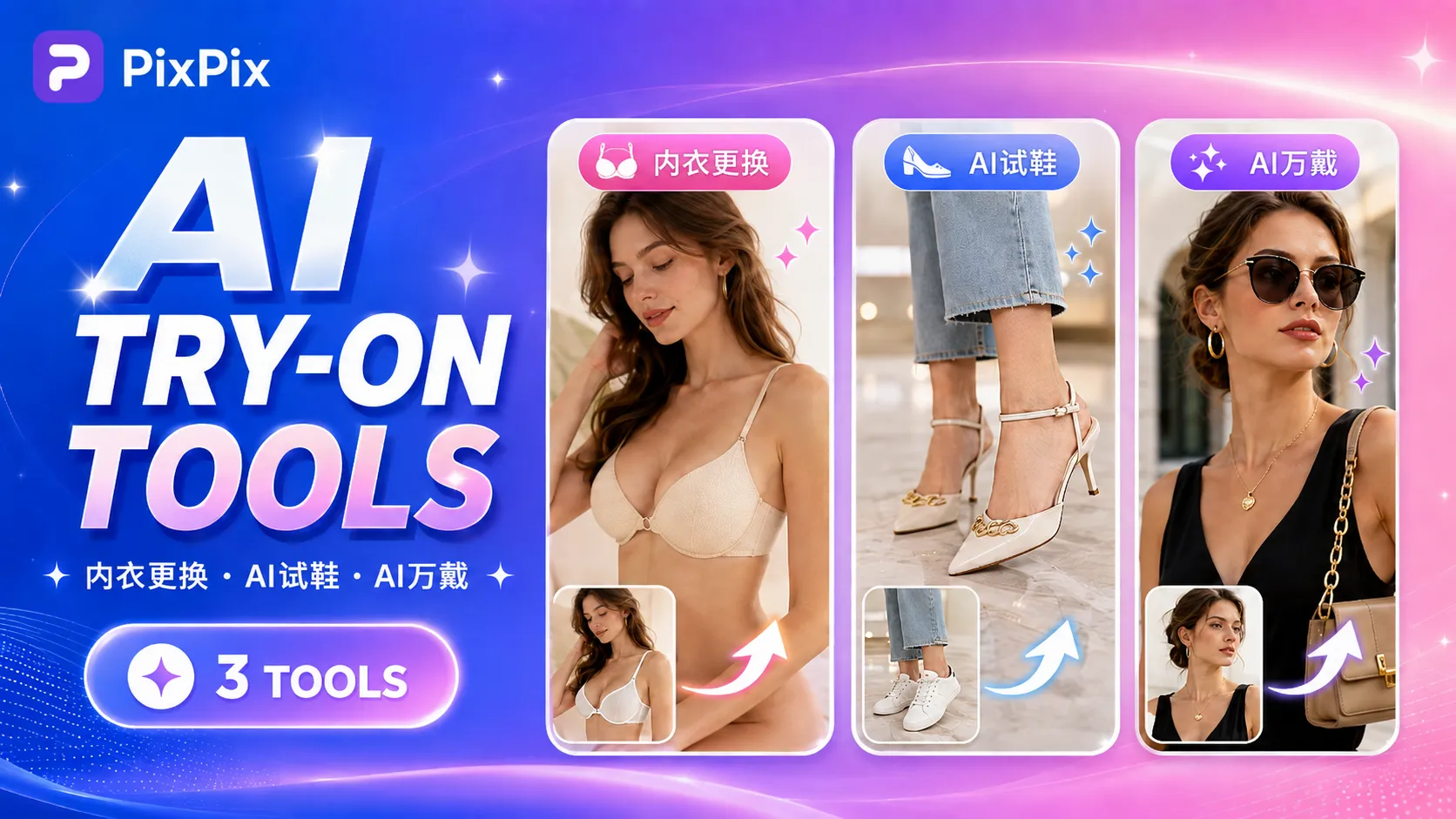
PixPix has launched three AI-powered wearable tools: virtual lingerie try-on, AI shoe fitting, and AI multi‑wear customization.
When creating e-commerce content for apparel, footwear, and accessories, product photos featuring real people wearing the items have always been a significant part of the material requirements.
In addition to white‑background images and detailed shots, a product typically also needs to be shown being worn—on a person’s body or feet, or with accessories—to more intuitively demonstrate how it looks when styled. With a large number of SKUs, arranging models and scheduling shoots for each style and color can significantly extend the time required to produce these materials.
Recently, PixPix has further expanded its AI‑powered styling tools by launching three new features: underwear swapping, AI shoe try‑ons, and AI multi‑wear , each addressing the specific needs of showcasing underwear, swimwear, footwear, and accessories. Users can quickly experiment with realistic wear‑on effects using existing product images, providing more options for daily product launches, supplementing detail page visuals, and creating marketing content.
I. Underwear Swapping: Quickly Preview How Underwear and Swimwear Look on a Person
Underwear, swimwear, and other close‑fitting garments rely heavily on real‑person displays.
While flat‑lay images allow shoppers to see the style and design details, consumers often want to understand the overall visual impact of the item when worn. For merchants, this means allocating additional resources for models and photography.
The newly launched PixPix Underwear Swapping generates AI‑based try‑on effects specifically for intimate apparel and swimwear.
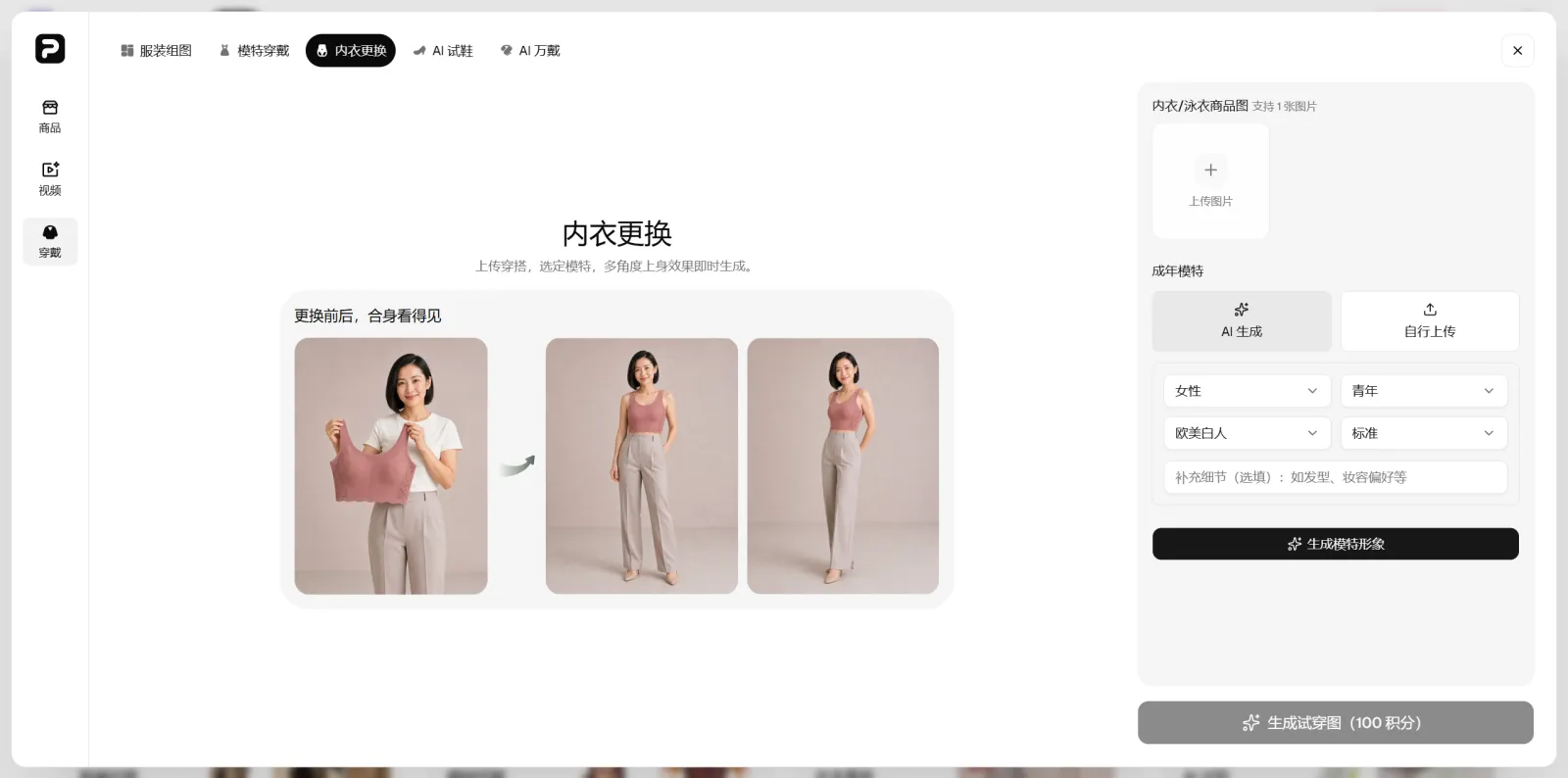
Simply upload an image of your underwear or swimwear and select a model to generate a corresponding on‑body display.
When merchants already have product images and model assets, they can use this tool to quickly explore various on‑body styling options, enriching product detail pages, social media posts, and other marketing visuals with additional wearable‑style imagery.
This feature is especially useful for lingerie and swimwear brands that frequently introduce new products. If you’ve prepared new product images but haven’t yet captured all styles through live shoots, you can first leverage AI to create more presentation angles, then refine and adjust based on actual usage needs.
Since close‑fitting garments involve fit, edges, and fabric details, it’s still recommended to verify the generated images against the actual product before using them in official listings.
II. AI Shoe Try‑Ons: Bringing Shoes from Product Photos to Real‑World Wear
Footwear also relies heavily on images showing shoes being worn.
Consumers can assess a shoe’s color, style, and general design from a single product photo, but understanding how the shoe feels when worn or whether it coordinates within a complete outfit usually requires real‑person images.
Traditionally, producing footwear imagery involves preparing the shoe, selecting a model, and setting up a shooting environment. As the number of new releases grows, each new style must be photographed anew, making the pace of product launches easily constrained by production capacity.
PixPix AI Shoe Try‑Ons offers an alternative approach.
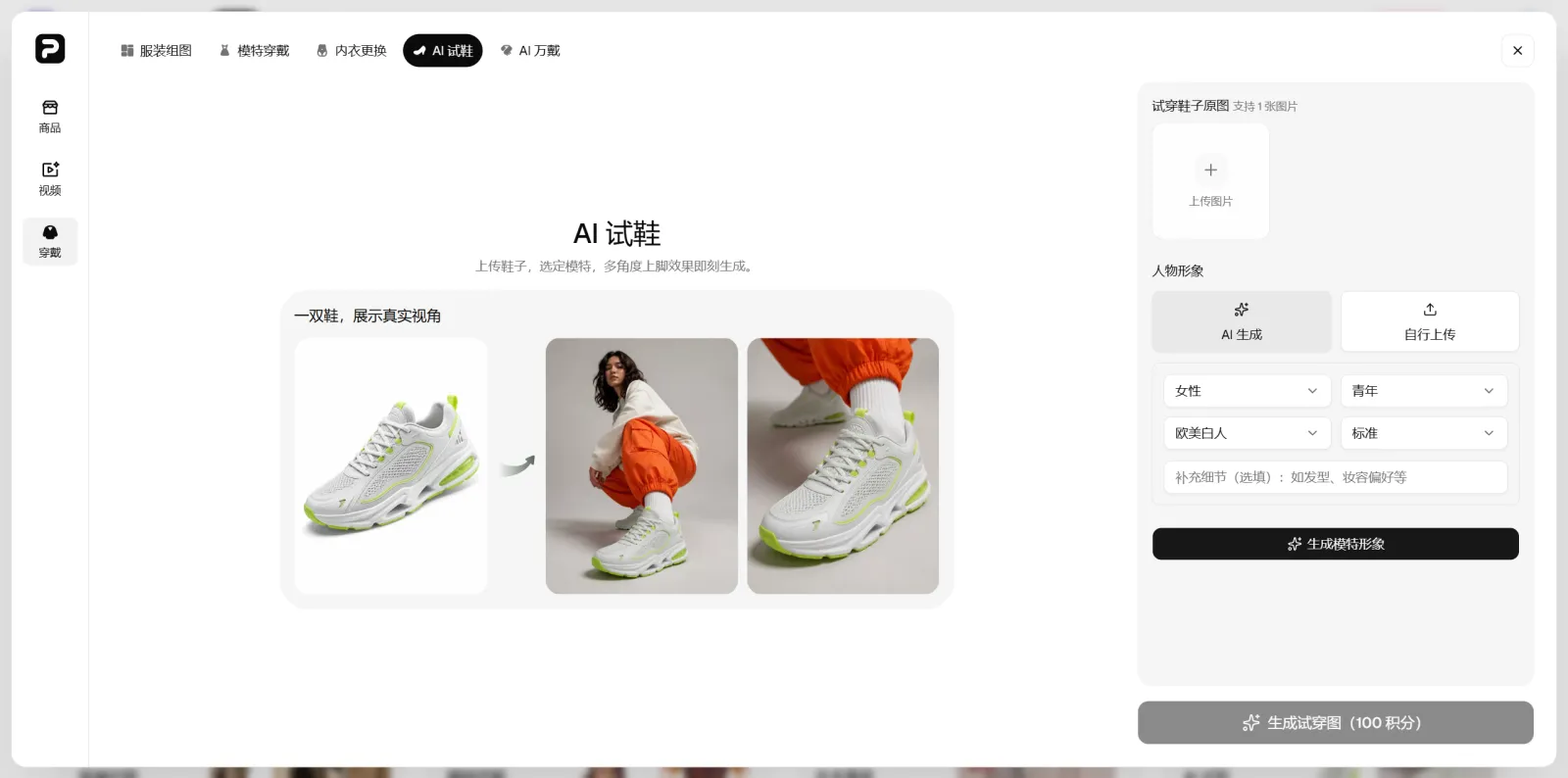
Upload a shoe product image and choose a model to generate a realistic on‑foot display.
Users can leverage existing shoe product images to create on‑foot visuals, extending individual shoe photos into richer, wearable‑style imagery.
For sneakers, casual shoes, high heels, and other products where styling impact is key, these images can serve as complementary visuals beyond standard product shots, enhancing detail pages, social media content, and advertising campaigns.
Moreover, the same shoe can be reimagined across different models and thematic contexts, giving operations teams more reference points before finalizing their chosen visuals.
III. AI Multi‑Wear: Accessories Can Also Quickly Generate Wearing Effects
If clothes are best appreciated when worn and shoes when put on, accessories often require being placed on a person to establish a fuller visual relationship.
When displayed alone, consumers can observe the accessory’s design and materials; once incorporated into a styling scenario, they can further appreciate how the piece interacts with the wearer and the overall outfit.
The newly launched PixPix AI Multi‑Wear is designed to generate virtual wearing effects for accessory products.
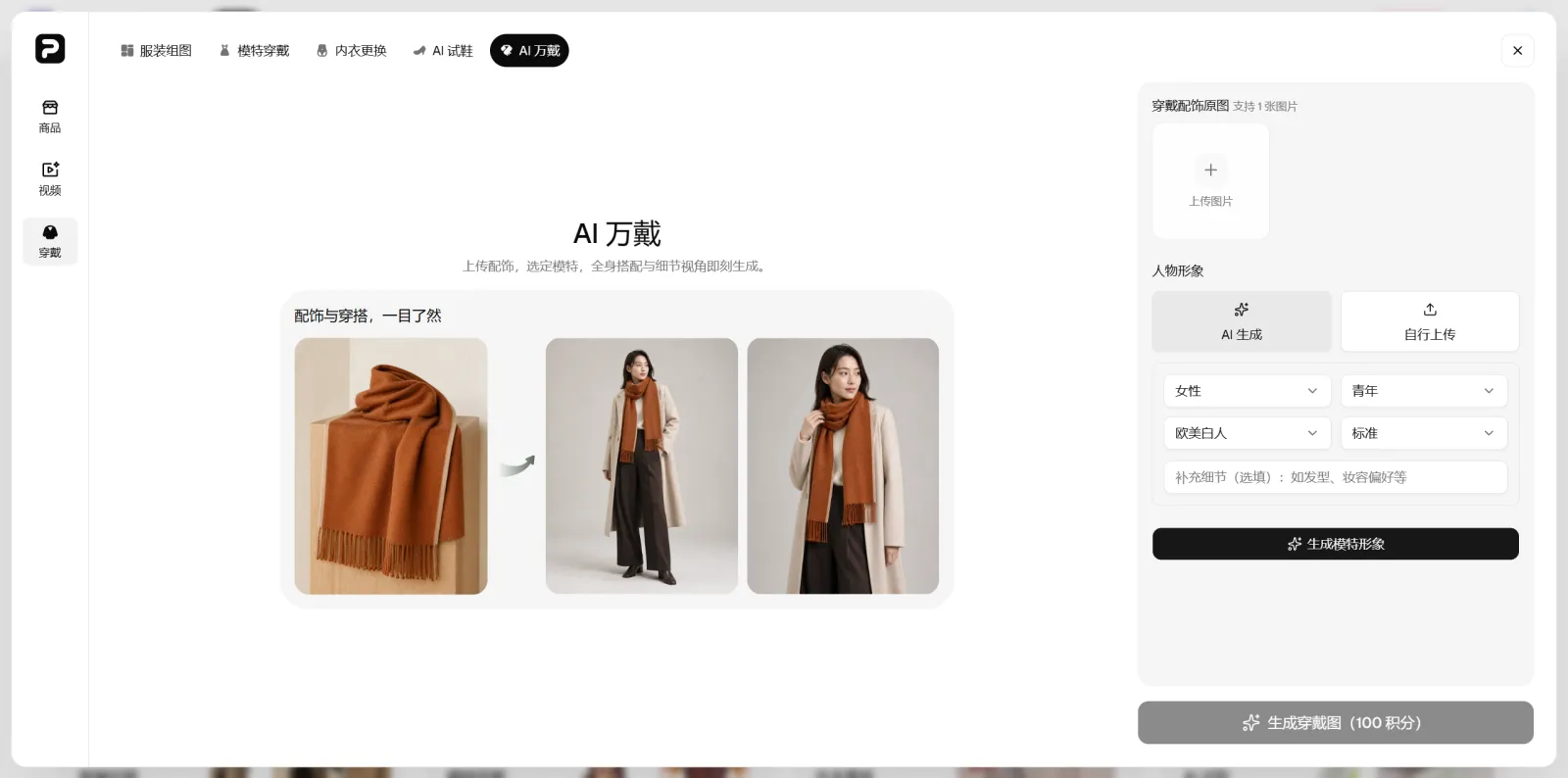
Upload an accessory product image and select a model to create a corresponding wearing effect.
For jewelry, eyewear, and other items that benefit from real‑person wear demonstrations, merchants can start experimenting with wearing‑effect visuals using existing materials, adding depth to traditional still‑life product shots.
This is particularly convenient for accessory retailers with a large SKU count and rapid product‑launch cycles. Operations teams can quickly develop multiple wearing‑style concepts, then select the most suitable visuals based on product positioning and marketing objectives.
IV. Three New Features Extend AI Virtual Try-On to More Product Categories
Following this update, PixPix’s AI virtual try-on capabilities have expanded beyond standard apparel to include intimate wear, footwear, and accessories.
Although these product categories differ, they share a common characteristic in e-commerce content creation: Simply showcasing the product alone is not enough; often, an image featuring a person wearing the item is also required.
In the past, such images typically necessitated a live‑model photoshoot. Now, with more specialized AI tools available, operations and design teams can directly select the appropriate option based on the product.
For lingerie and swimwear, users can utilize Lingerie Swap, while footwear can access AI Shoe Try‑On. Accessories, meanwhile, can be tested using AI All‑Around Try‑On to visualize how they look when worn.
For teams that routinely manage multiple SKUs at once, the refined functionality makes the content‑creation workflow much clearer.
V. AI Virtual Try-On Offers More Creative Options for Daily Content Updates
AI virtual try‑on tools are best integrated into everyday content‑creation workflows.
When new products arrive, it’s essential to quickly produce a batch of fitting‑on visuals; existing items may require additional marketing assets; social‑media teams need to continually refresh outfit‑related content; or, prior to formal shoots, brands might want to preview how a product will look when styled on a model—these are all typical use cases.
Merchants can first leverage existing product imagery to generate AI‑based try‑on effects, then decide, based on the specific project, which images should proceed directly to the next stage of design and which products still require a more comprehensive professional photoshoot.
This approach makes image production more flexible and gives operations teams greater freedom to experiment with diverse visual concepts.
At the same time, it is still recommended to conduct manual reviews of AI‑generated try‑on images before they are officially used on product pages. Product colors, style details, proportions, logos, and key design elements must align with the actual items being sold, and any model imagery should come with proper usage permissions.
VI. PixPix Continues to Expand Its E‑Commerce AI Toolset
In addition to the three newly added AI virtual try‑on features, PixPix is continuously expanding its suite of tools designed to support e‑commerce content creation.
From product image editing and color changes to video generation, upscaling, and watermark removal, as well as clothing and accessory try‑ons, operators can choose the most suitable tool for their specific tasks, cutting down on time spent switching between different software applications.
With the recent launch of Lingerie Swap, AI Shoe Try‑On, and AI All‑Around Try‑On, PixPix has further broadened its reach within the fashion e‑commerce space.
All three features are now live.
To create realistic fitting‑on visuals for lingerie or swimwear, users can try PixPix Lingerie Swap; footwear can access PixPix AI Shoe Try‑On; and accessory items can benefit from PixPix AI All‑Around Try‑On, allowing quick previews of how they look when worn by a model.

AI Image Tool Built for E-commerce Teams
For new product launches, advertising, and promotional campaigns, use AI to generate product images, scene visuals, ad creatives, and short video assets — making content production faster.