How do you create detailed product images for a Shopify skincare set? Show the application sequence, texture, and highlight the product’s key benefits.
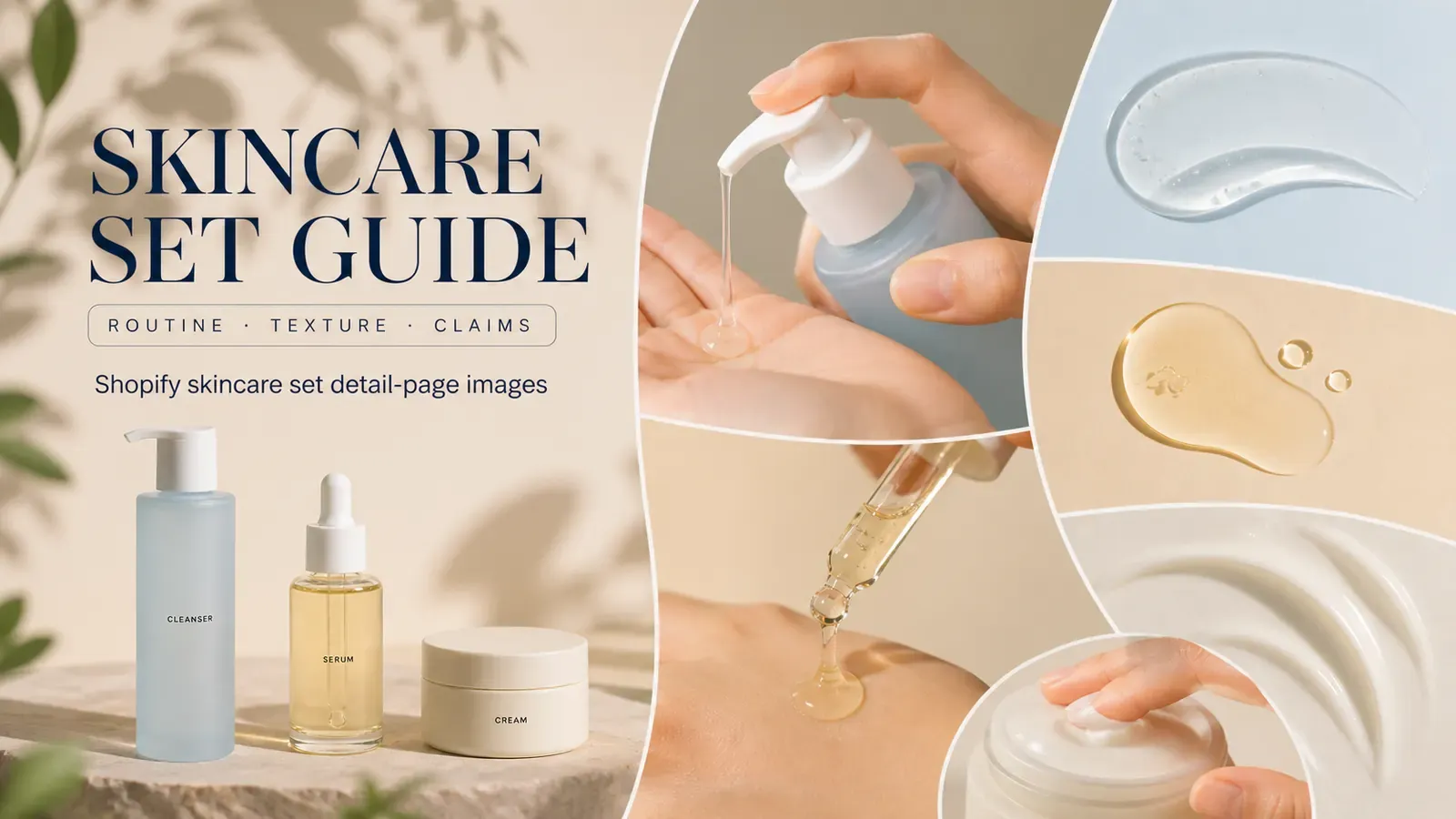
Three skincare products are arranged on the washstand, with each bottle photographed beautifully. As the buyer scrolls down, they’re left guessing: should they use the dropper bottle first or the face cream? And is the small jar meant for morning or evening use? The scene image sets the right mood, but the product usage sequence isn’t clearly shown.
Skincare set detail images shouldn’t just be a collage of three individual product shots. They should connect the set’s contents, the correct order of application, single-use quantities, visible textures, and approved efficacy claims—and explicitly state which conclusions cannot be supported by images alone.
I. The skincare set details page should first clarify what each bottle contains
Start with an image showing the complete set. Bottle shapes, capacities, pump heads or droppers, caps, and labels must all match their respective SKUs; the three items should not rely solely on color differentiation. Props and any free gifts included with the order should also be separated—towels, trays, and floral elements should not mislead buyers into thinking they’re part of the set.
Google Merchant Center requires bundle images to display the products included in the set; even if you’re not running Shopping ads, this is still a good way to check whether your set page provides clear information. Use a main visual that shows all three products together, then break down each item’s purpose in subsequent sections.
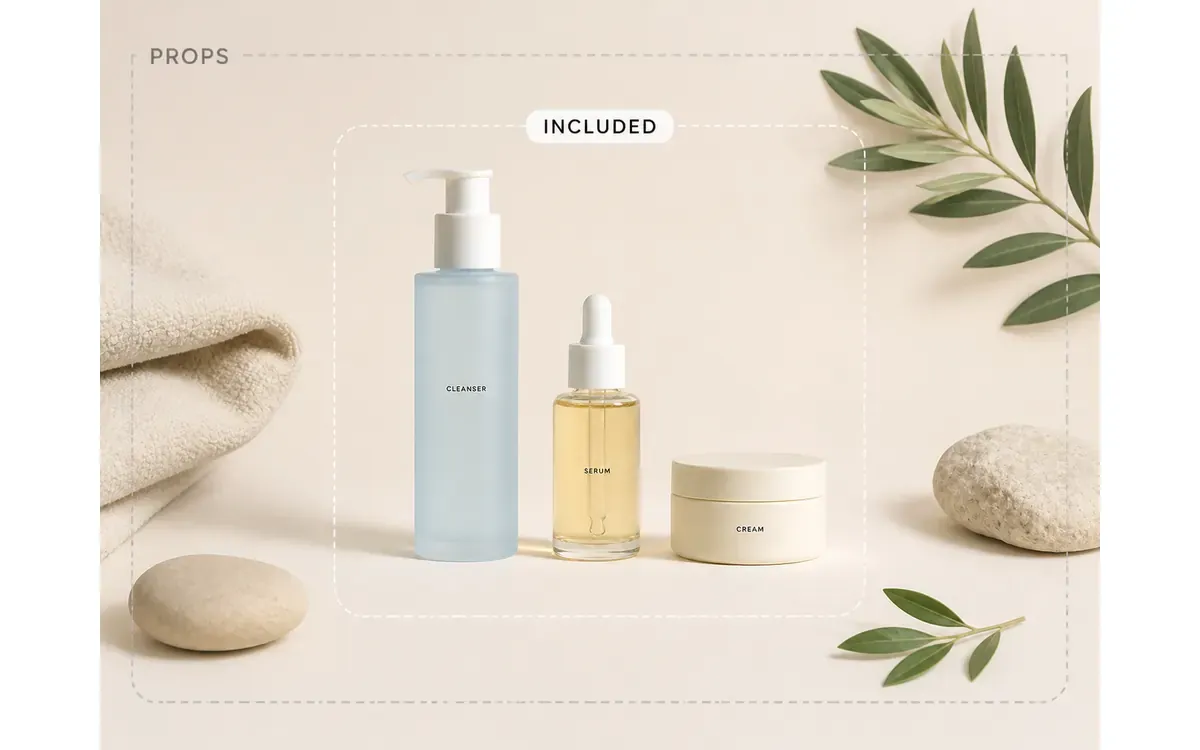
Display accompanying items together, pushing scene props into the background—buyers shouldn’t have to guess what’s included from ambient imagery.
II. The skincare set usage sequence diagram should follow real‑world actions, not bottle height
Just because a product is placed higher doesn’t mean it’s used first. The sequence should be based on the brand’s approved instructions, taking into account whether morning and evening routines differ. The page can use action names like “after cleansing, serum, then moisturizer” to link different modules, but avoid imposing generic skincare habits onto specific products.
A functional sequence diagram should at least include product names, time of day, specific actions, and the relationships between steps. If a particular product is only used during certain times, remove it from other pathways—don’t force all three products to appear twice daily, morning and night, just to keep the layout tidy.
When creating desktop banners and mobile‑friendly long‑form images for the same usage path, you can plan the skincare set detail page graphic series according to morning and evening routines using and . First provide the approved steps, product images, and copy, then verify whether the mobile version still allows users to follow the sequence easily.
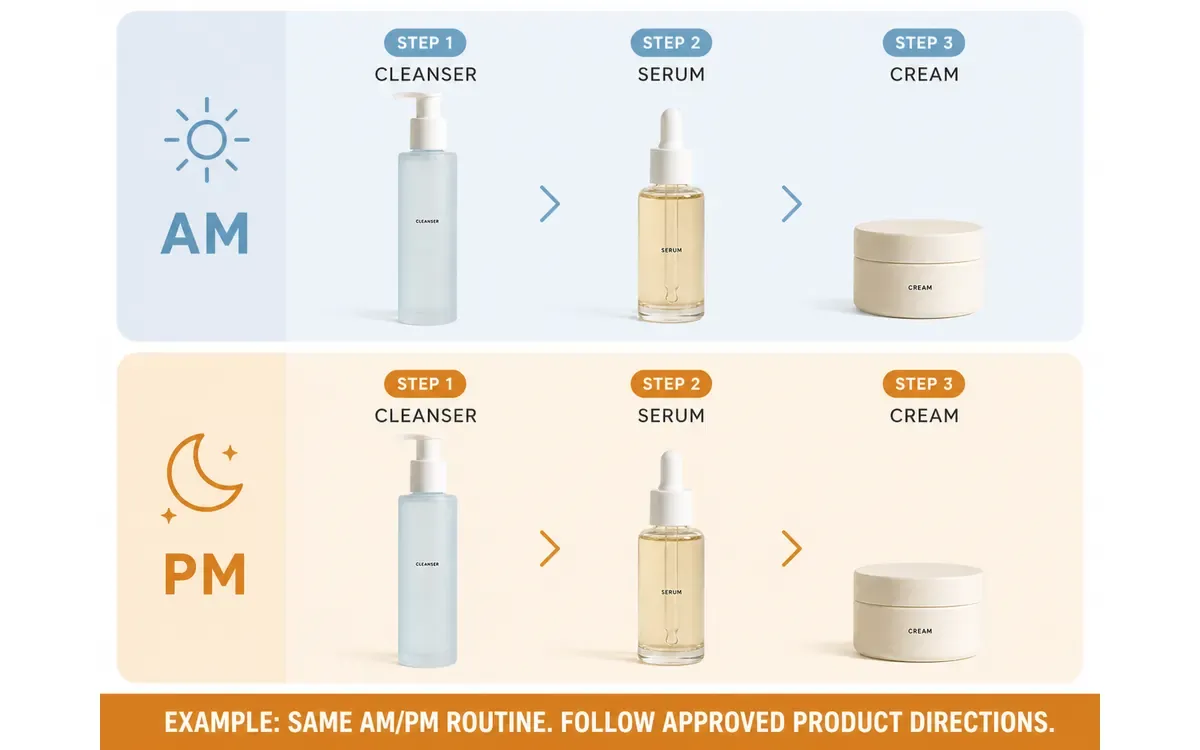
The example shown here illustrates a layout where morning and evening paths are identical; the official page must replace this with the current product’s approved usage instructions.
III. Skincare texture maps can show appearance, but cannot prove absorption or effectiveness
Texture maps can depict the transparency of cleansing gels, the fluidity of serums, and the consistency of creams—these are visible appearances. Whether absorption is fast or slow, whether a product feels greasy, or whether it causes irritation after use—none of these can be confirmed simply by a photo of streaks or splashes.
For the same product, texture consistency must remain uniform across extrusion, spreading, and close-up shots of the container. A serum shouldn’t look like water one moment and gel another; similarly, a cream’s color shouldn’t shift to pure white or yellow depending on the background. Only when the brand has already provided approved sensory descriptions can images and text correspond appropriately.
If the overall composition is correct but there are residual residues around the pump, dust on the bottle, or smudges along the edges of the product, you can use to selectively retouch packaging and texture edges with . If liquid color, consistency, or container structure is incorrect, return to the actual product for rework.
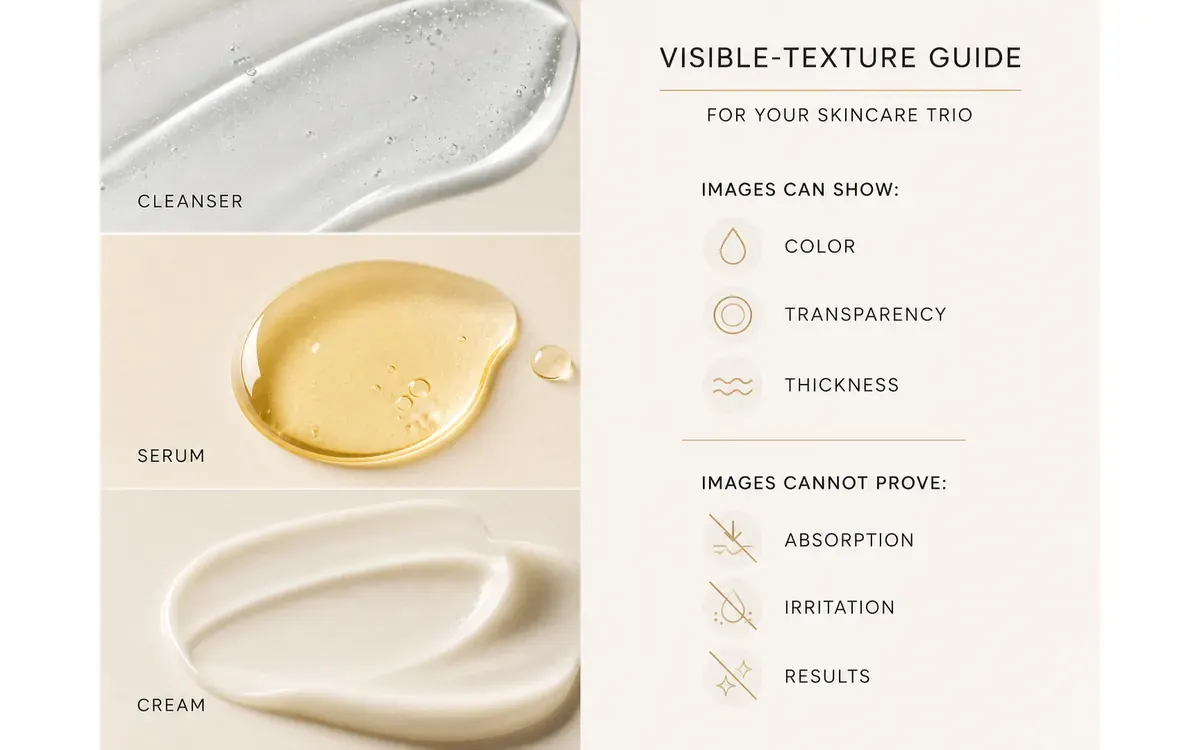
Images can showcase color, transparency, and consistency, but they cannot confirm absorption, irritation, or actual effects.
IV. Single‑use quantity diagrams should follow approved instructions, not exaggerated droplets to fill the frame
How many pumps, how many drops, or how much cream to take should always align with the brand’s approved usage guidelines. If no specific amount is stated, you may show the act of taking and the area being applied, but avoid arbitrarily labeling it as “two pumps,” “three drops,” or “pea-sized.”
Quantity illustrations should ensure tools match the packaging: press‑type bottles use pressing motions, dropper bottles show real droplets, and wide‑mouth jars employ the included scoop or clean fingers. Do not force all three products to use droppers just to create visual uniformity. Human hands may appear; when full figures are needed, maintain the same adult model, natural skin texture, and consistent lighting.
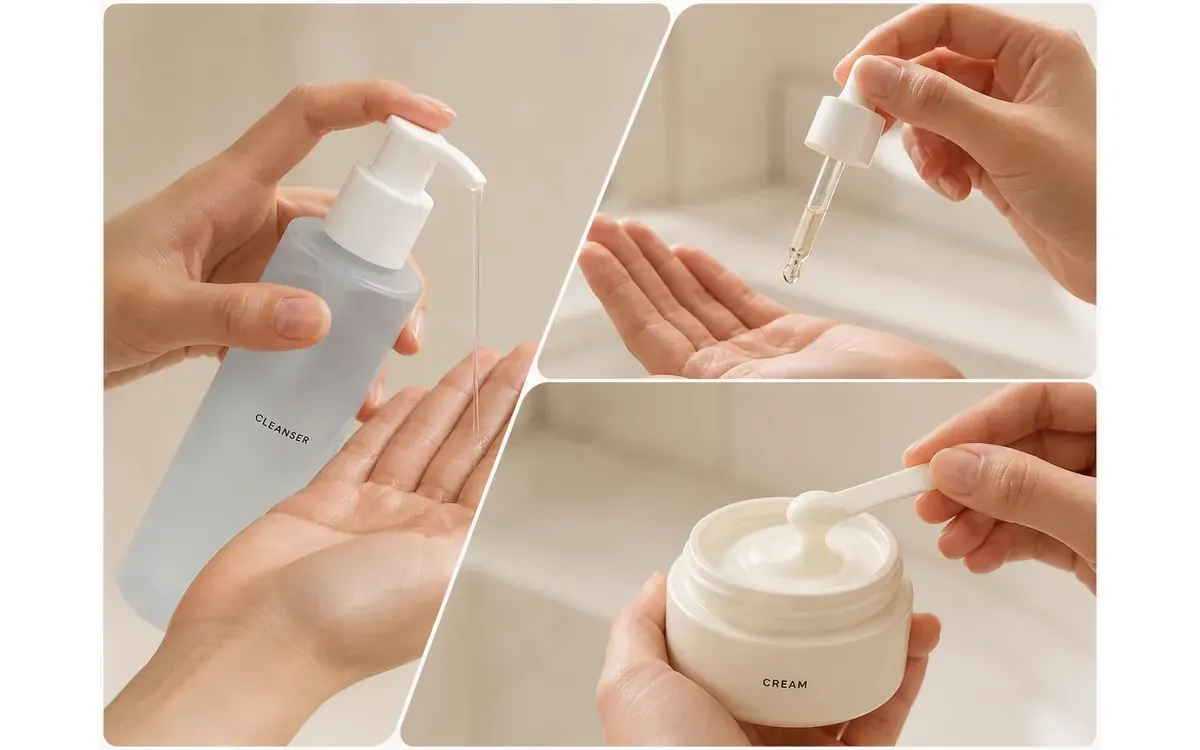
The act of taking follows the packaging; specific quantities should only be included in the illustration when the brand provides approved instructions.
V. Skincare efficacy diagrams must distinguish cosmetic claims from medical implications
The U.S. FDA requires that cosmetic label information and efficacy claims be truthful and non‑misleading. If a product claims to treat or prevent diseases, or asserts effects on skin structure or bodily functions, it may be considered a pharmaceutical product under U.S. regulatory standards and must meet corresponding requirements. Visual teams should not arbitrarily turn “improving appearance” into a therapeutic conclusion.
Pages can feature brand‑approved cosmetic descriptions alongside packaging, texture, and usage step illustrations. Avoid generating unverified cross‑sections of skin, cell‑repair animations, or exaggerated before-and-after comparisons. Evidence of efficacy, applicable conditions, and testing protocols should be provided by the brand’s compliance documentation; images are only responsible for clearly presenting approved information.
When expanding scenes such as washstands, bathrooms, or dressing tables, you can use to extend the skincare setting canvas while preserving packaging labels and product proportions . The environment can change, but packaging text, capacity, texture colors, and usage sequences must remain consistent.
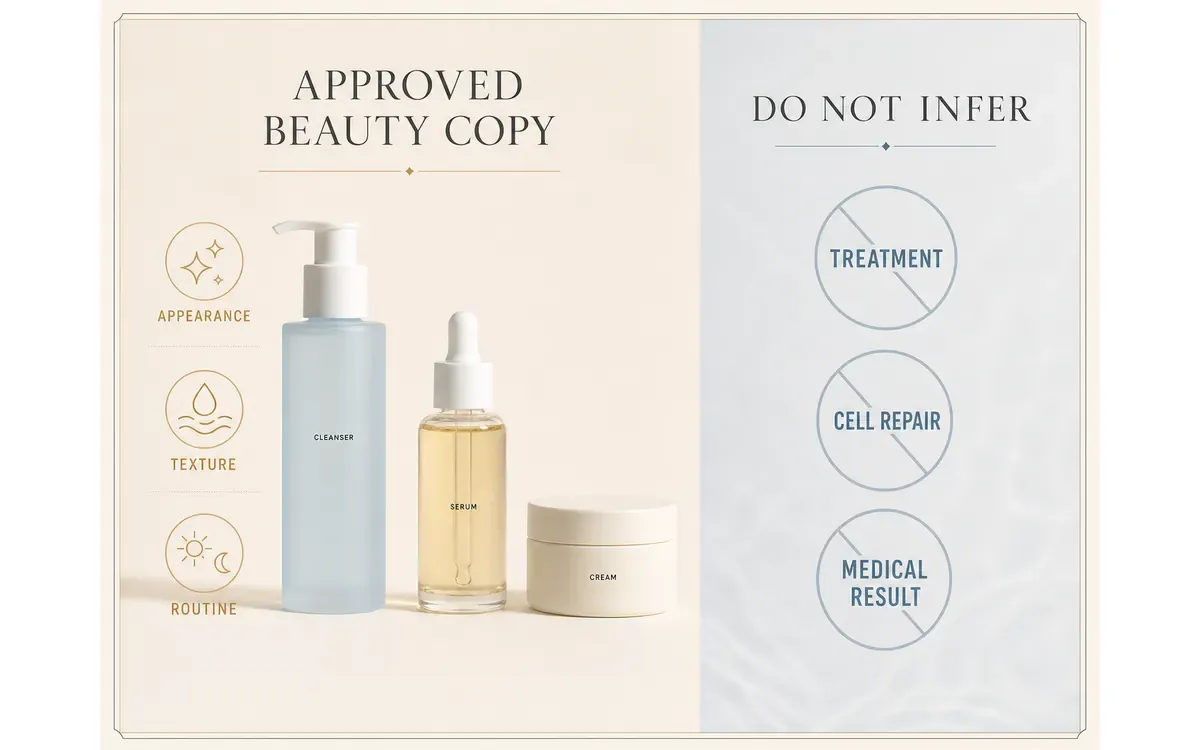
Replace skin cross-sections or cell illustrations with clear textual boundaries, ensuring that medical visuals do not overstate the product’s efficacy for branding purposes.
VI. Common Questions About Shopify Skincare Set Detail Images
1. If one item in the set is temporarily out of stock, should the detail image still be kept?
If the currently available set does not include that item, update the set composition images, purchase options, and page copy accordingly—do not simply add a small note in the corner. If the entire set is only temporarily discontinued, keep the page information consistent and follow your store’s inventory policy; avoid displaying images that suggest buyers will receive a combination they cannot actually obtain.
2. After switching to a new bottle design for the same serum, can the old texture images still be used?
When the actual texture remains unchanged, close-up shots of the cream or liquid can remain; however, all images featuring packaging, droppers, pump heads, or application actions must be updated to reflect the new bottle design. Do not mix old and new packaging on the same page.
3. Skincare sets come in both travel-size and full-size versions—can the same usage illustration be shared between them?
Usage instructions may only be shared if the brand has explicitly approved identical single-use amounts and application methods; any images showing packaging must still differentiate between travel-size and full-size versions. If pump stroke lengths, dropper capacities, or applicator designs differ, separate images capturing each application method are required—do not use a single full-size image to represent the travel-size version.

AI Image Tool Built for E-commerce Teams
For new product launches, advertising, and promotional campaigns, use AI to generate product images, scene visuals, ad creatives, and short video assets — making content production faster.