How to create product images for strollers? A guide to component configuration, folding mechanisms, and safety information presentation.
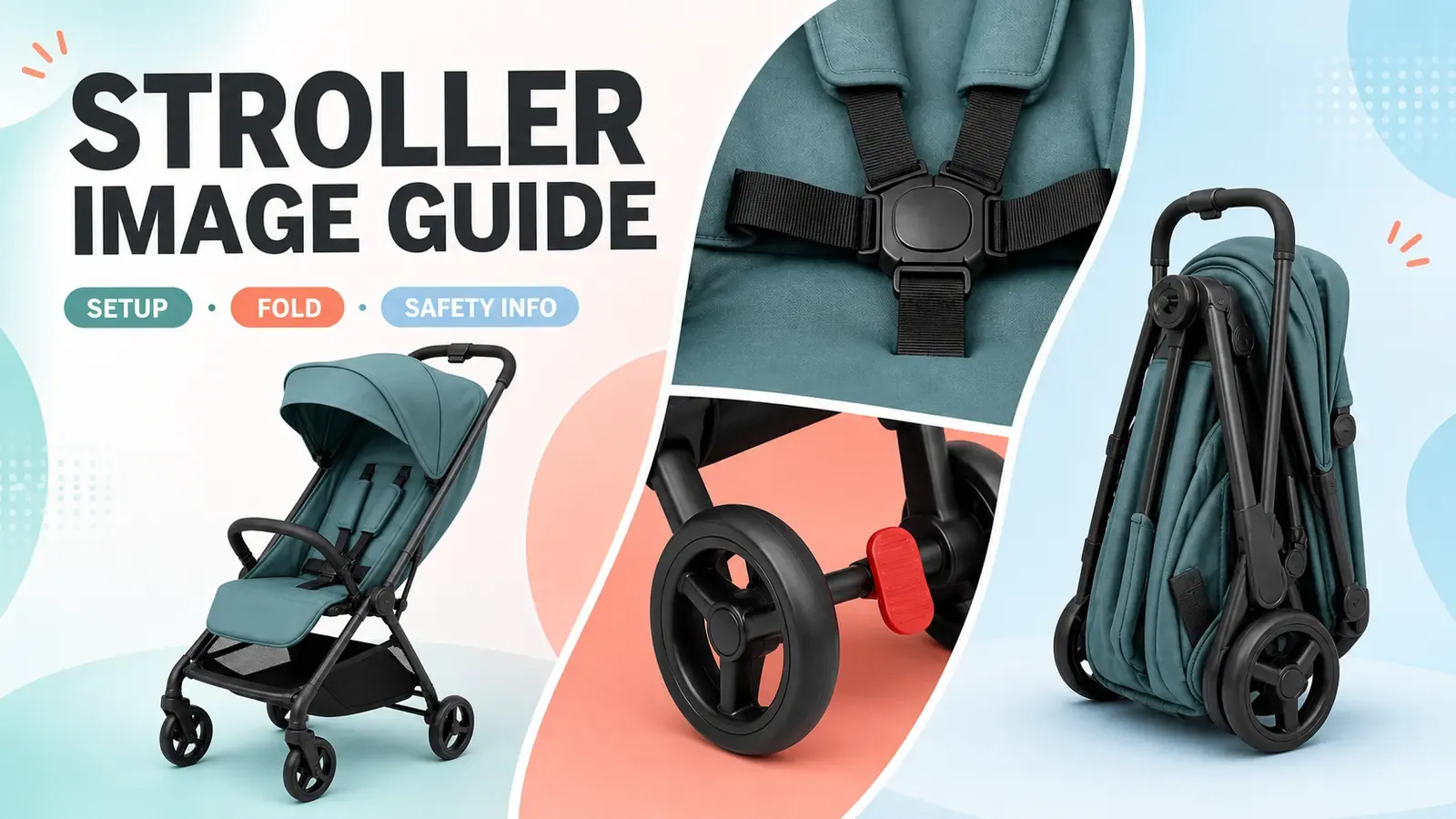
When creating product detail pages for strollers, a common issue arises: while the visual scene images may look appealing, they often lack practicality. Full‑car atmosphere shots can only showcase the exterior, but what consumers really care about is…Seat belt wearing instructions, brake positioning, folding sequence, station-arrival posture, standard and optional accessoriesAs for the details of the decision, they remain completely unclear.
More importantly, compliance requirements for infant and child products are extremely stringent. Many issues—such as page errors, review violations, and post-sale disputes—arise precisely because of inappropriate product images.Overemphasis on aesthetics, underemphasis on standards: AI arbitrarily alters component structures, independently interprets folding mechanisms, and uses contextual cues to imply safety and compatibility, deviating from official manual standards and resulting in distorted information.
The core principles for illustrative images in product carriages are:Prioritize accuracy and compliance, then focus on visual appeal.Images should only objectively depict the structure, positioning, steps, and storage status. For safety certifications, operating guidelines, and performance claims, always refer to officially approved information from the brand—no exaggeration, no fabrication, and no substitution of written instructions.
This article outlines a set of practical, implementable guidelines for designing detailed product pages for strollers, covering five key modules: overall vehicle configuration, safety features, brake and locking mechanisms, folding procedures, and storage scenarios. It also defines clear boundaries for the use of AI‑generated imagery and photo‑editing tools, helping operations teams avoid common pitfalls and create…Precise, compliant, and capable of answering questionsE-commerce detail visuals.
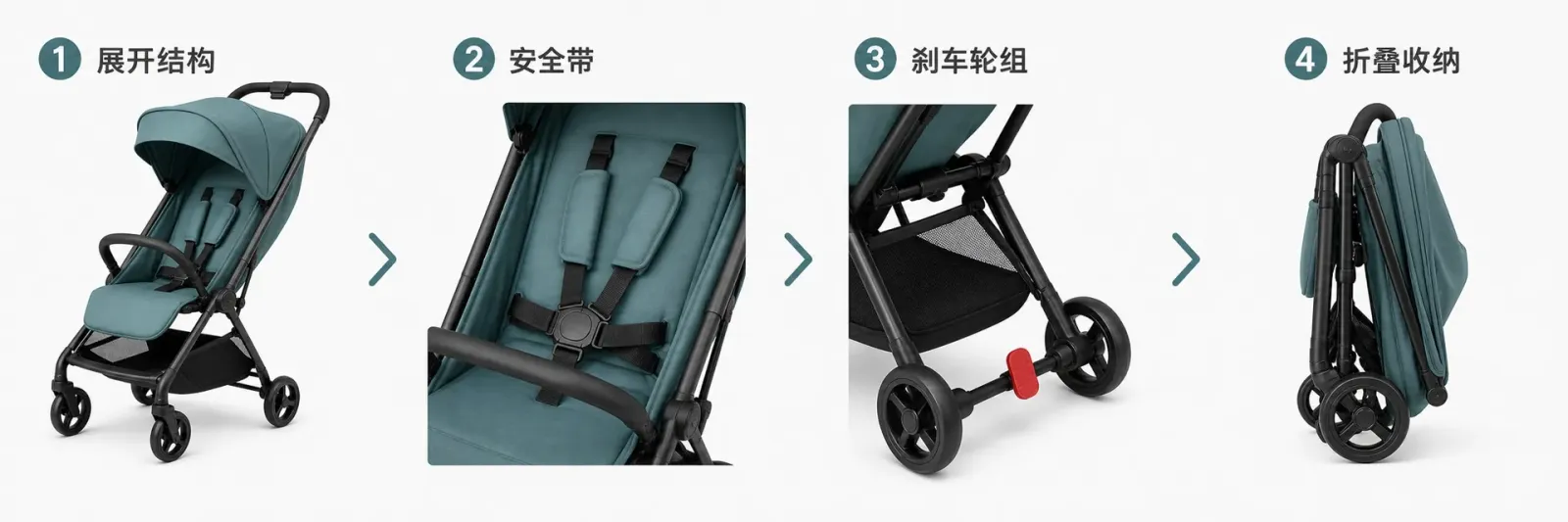
First identify the complete vehicle and its components, then examine the restraint system, brakes, and folding mechanism, and finally present the storage state.
I. Front‑view diagrams should fully capture the current configuration of the stroller.
The same frame may be paired with different seats, bassinets, car seat adapters, or various canopies. The initial structural diagram must reflect the currently sold configuration, clearly showing the frame, seat, canopy, armrests, storage basket, front and rear wheels, and footrest. If additional accessories appear in the image, they must be shown separately from the standard equipment.
When creating the reference package, be sure to include at least front and side views, front and rear angles, fold‑up joints, wheel assemblies, brakes, seat belts, and close‑up shots of labels. If there is insufficient material, you maysupplement it with white‑background shots of the stroller, component details, and storage‑state image sets.However, the generated results must be checked against the current model item by item.
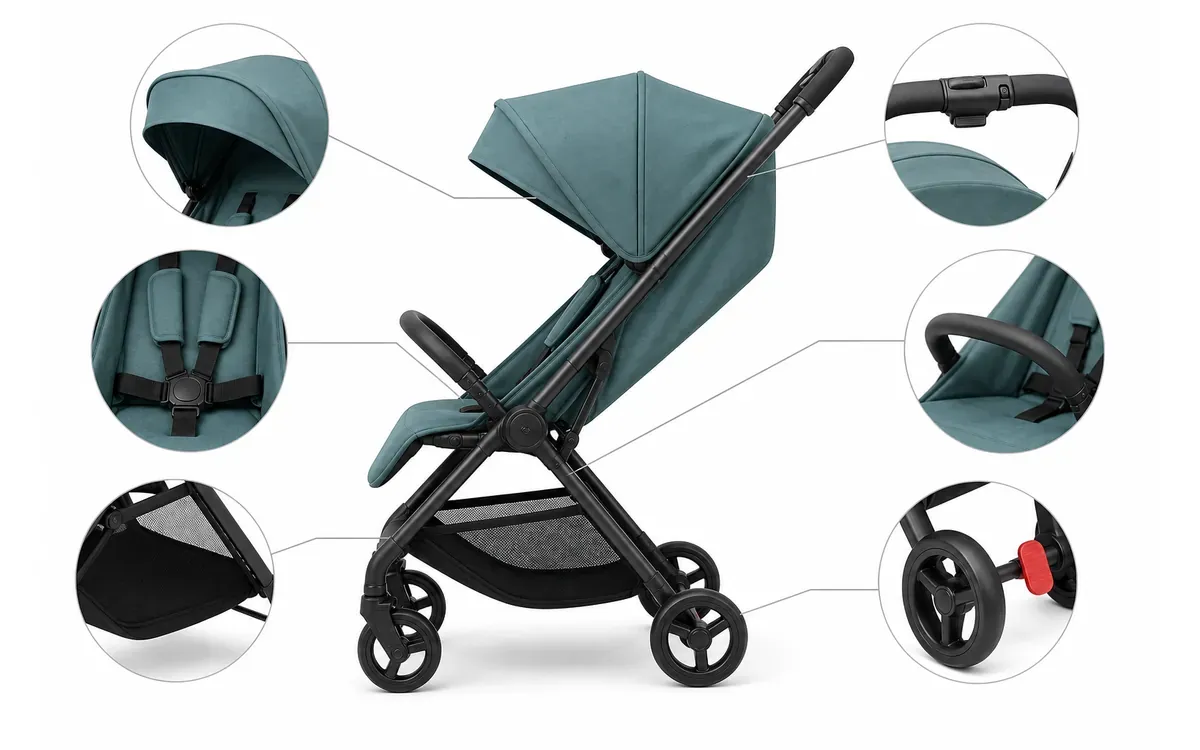
Six localized close‑up frames should highlight the canopy, seatbelt, armrests, storage basket, handle controls, and brakes; whether each component is standard or optional should be determined by the current SKU’s sales configuration.
II. Seatbelt and seat images should only show the actual restraint pathways.
The U.S. Consumer Product Safety Commission (CPSC) focuses on aspects such as restraint systems, brakes, locking mechanisms, folding mechanisms, stability, and wheel assemblies when evaluating strollers. When creating images, do not reduce these requirements to a single “safety certification” badge. Instead, make visible the paths of shoulder straps, waist belts, crotch straps, buckles, and adjustment components, using the specific wearing methods outlined in the current product manual.
Model‑based scenes can only help illustrate seating positions. The age, pose, restraint method, and adult supervision status of the model must adhere to the brand’s approved specifications. If the applicable age group or seatbelt pathway cannot be confirmed, do not create images featuring children.
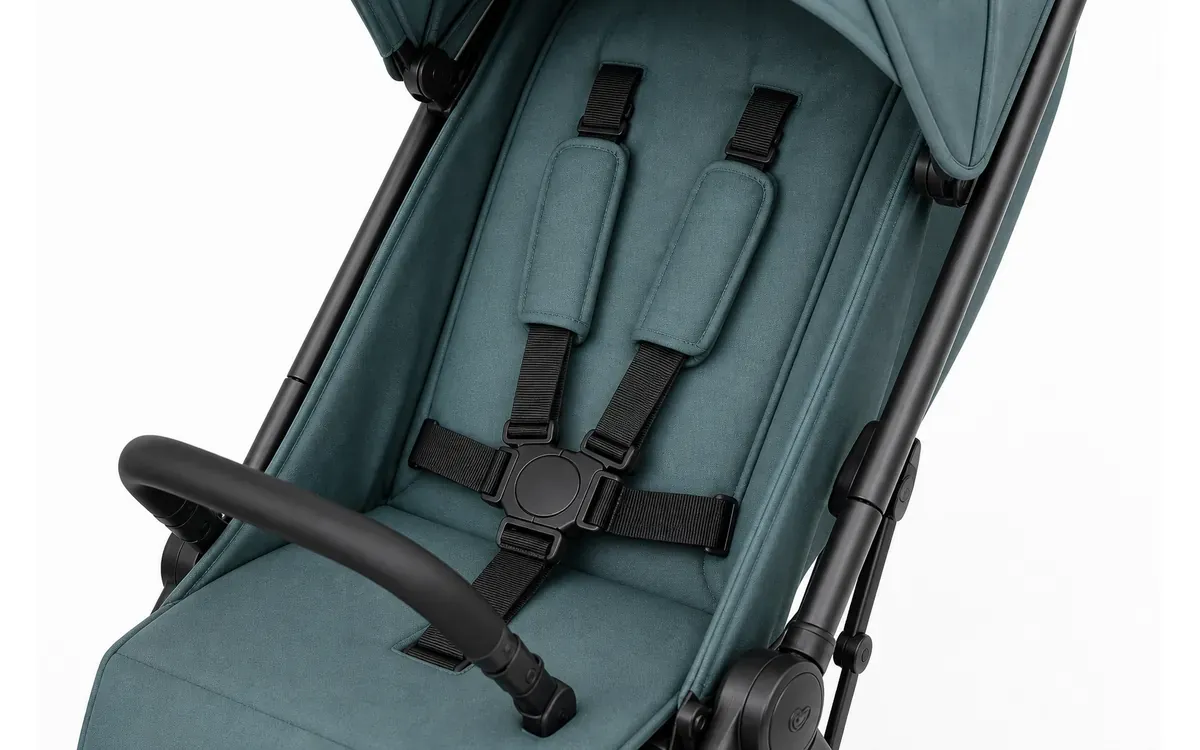
Clearly photographing every connection point of the seatbelt is far more informative than simply stating “safe and secure.”
III. Brakes, locks, and wheel assemblies should be depicted in close‑up to clarify their position and condition.
Brake images must distinguish between “released” and “locked” states, making the pedal, indicator colors, or mechanical positions clearly visible. Do not rely on red‑green icons to substitute for actual components. For front‑wheel steering, quick‑release wheels, or shock‑absorption adjustments—if these are part of the current model—they too must be shown separately, illustrating both the operation points and the final state after completion.
Do not reverse the left–right orientation in local images. If the brakes are on only one side, do not mirror‑generate the other side; also ensure that the tire tread pattern, wheel spokes, and number of lock nuts are consistent. When components are correct but the background or edges contain noise, you mayselect the wheelset, pedals, and frame joints for localized fine‑tuning., but do not alter the mechanical shape.
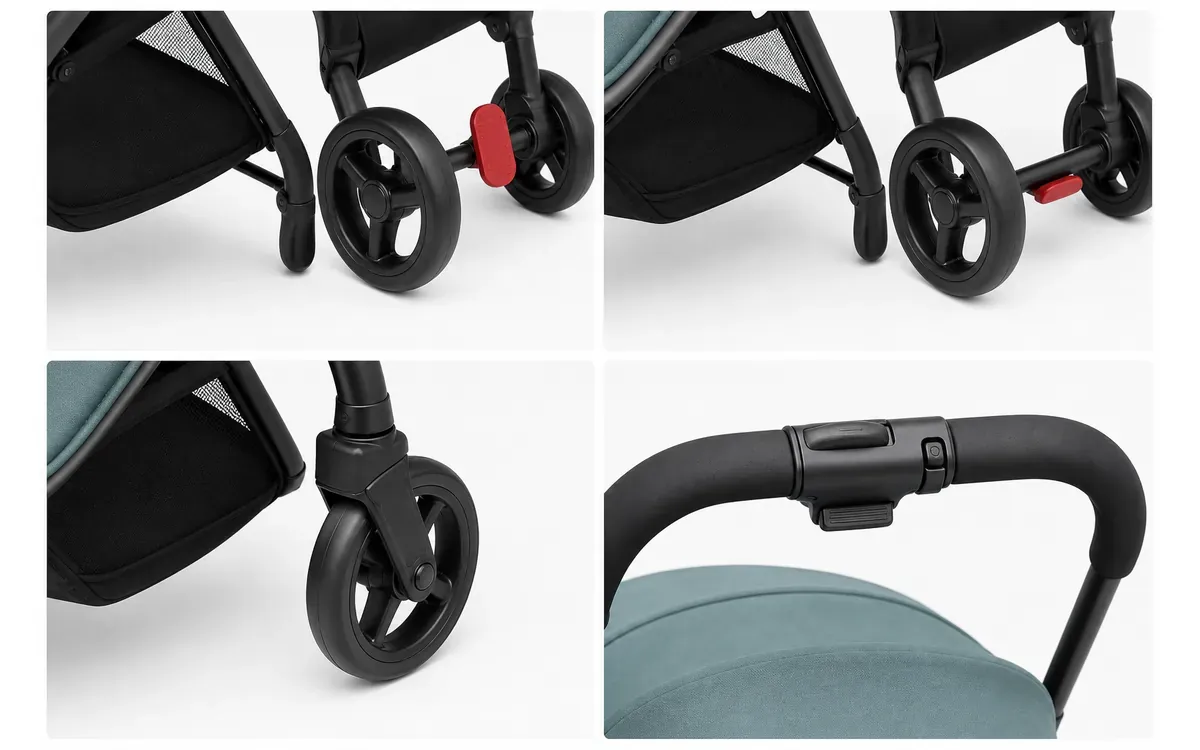
The top row shows the release and locked states of the brake pedal; the bottom row displays the front‑wheel assembly and handle controls—do not interpret all four sections as brake states.
IV. Folding procedure diagrams must follow the order specified in the instruction manual.
Folding diagrams should first list preconditions, such as seat orientation, canopy position, brake status, or any accessories that need to be removed. Then, proceed step by step: which button to press, which strap to pull, where the frame folds, and what form it takes once locked. Hands must not obscure the operation points.
When supplementing folding sequences from the unfolded state, you may fix the same stroller to generate continuous motion illustrations—but AI is only responsible for maintaining visual continuity; buttons, joints, and sequence must be verified against the current model’s manual. Any changes to hand‑catch points, lock mechanisms, or frame pathways require recreating the corresponding sequence.
Once the structure, brakes, folding procedure, and warning information have all been approved, it is ready for use.The detail page tool organizes operational and safety information into modules.Modules must not include any actions, performance characteristics, or safety conclusions that are not specified in the manual.
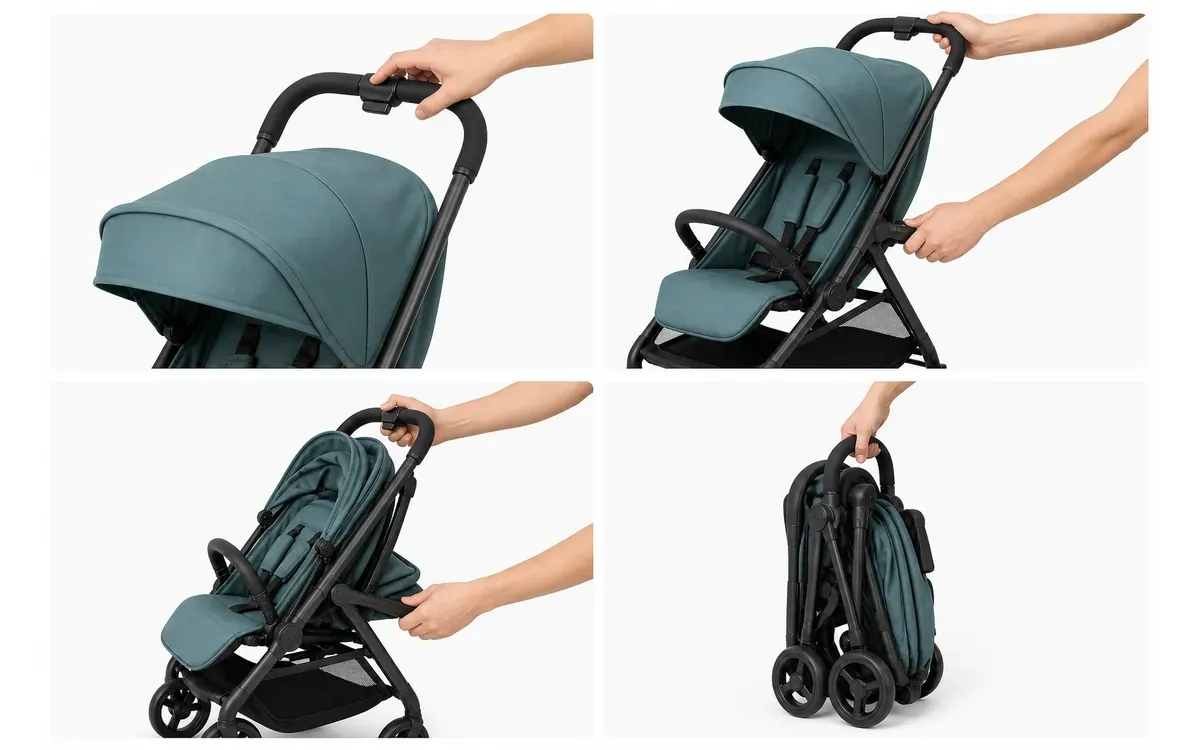
The four panels sequentially show the folded‑up front state, the operating position, the frame‑closing direction, and the final locked state; the specific sequence shall be subject to the current model’s instruction manual.
V. Storage and Travel Scenarios: Only address dimensions and portability
After folding, the stroller can fit into a car trunk, entryway, or storage cabinet as a volume illustration; however, space constraints and vehicle models do not guarantee universal compatibility. Only when the brand provides approved folded dimensions may numerical values be indicated on the specification diagram; scene illustrations are intended solely to help buyers understand placement methods.
Do not use distant views to imply “airline‑compatible,” “fits all trunks,” or “can be folded with one hand.” Such conclusions depend on product specifications, carrier regulations, or actual handling—not on images alone. Storage diagrams should also retain the true positions of wheels, handles, and locking mechanisms; do not shorten the frame simply to squeeze it into available space.
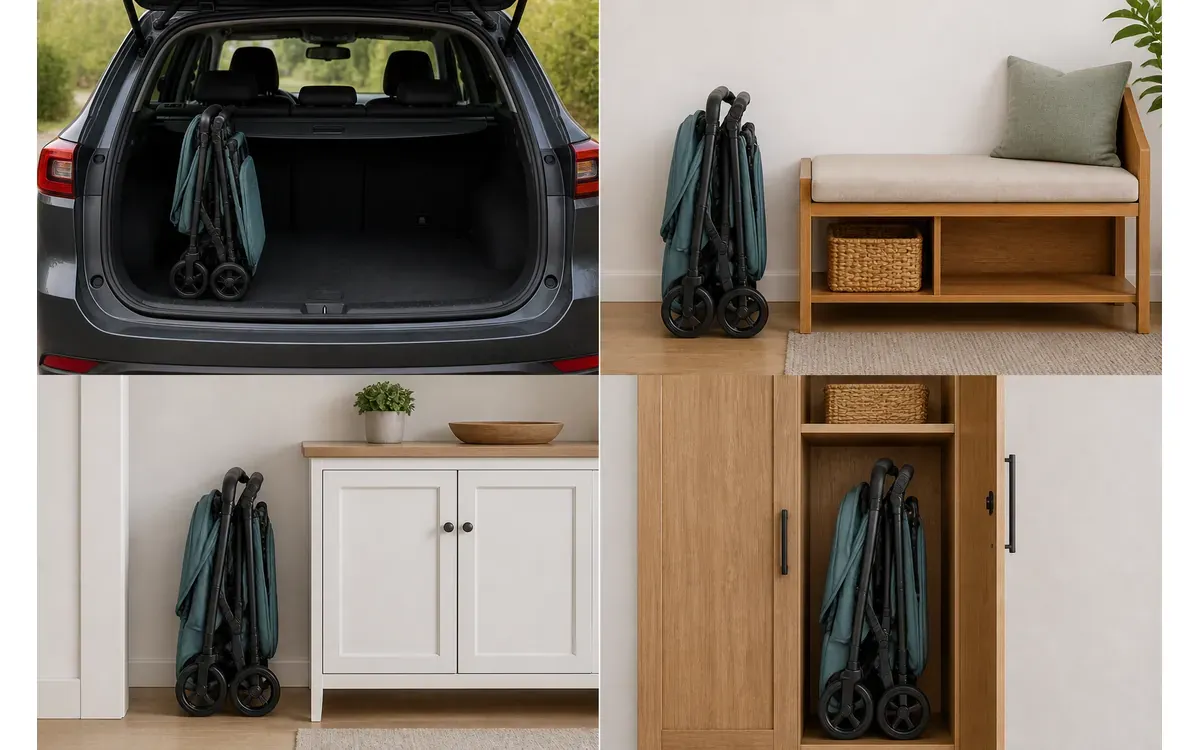
This set of scenes only illustrates placement methods and does not include dimensional data. If the brand provides approved folded dimensions, a separate specification diagram may be created; such scenes cannot automatically confirm compatibility with specific vehicle models, airlines, or storage spaces.
VI. Common Issues in Stroller Product Images
1. Can the same chassis paired with both a carrycot and a seat share a single main image?
Not recommended. The main image should correspond to the buyer’s currently selected configuration; for bundled sales, an additional full‑set image may be added, but ensure components are clearly listed and avoid depicting optional adapters as included by default.
2. If the stroller features a reversible seat, should the image library display both orientations?
Yes—both forward-facing and caregiver‑facing configurations must be shown in their approved states, with consistent positioning of seat attachment points and handlebars. Do not simply mirror the same image, as the frame, brakes, and markings may not be left–right symmetrical.
3. For older and newer models that differ only in the folding lock mechanism, can the existing images still be used?
Overall exterior images may remain unchanged after confirming that all visible structural elements are consistent; however, any images featuring the old lock, folding actions, labels, or operational instructions must be updated. A single page should not simultaneously present two different sets of operating procedures.

AI Image Tool Built for E-commerce Teams
For new product launches, advertising, and promotional campaigns, use AI to generate product images, scene visuals, ad creatives, and short video assets — making content production faster.