How should Amazon wig product images showcase the hairline? A guide to checking lace, length, and volume.
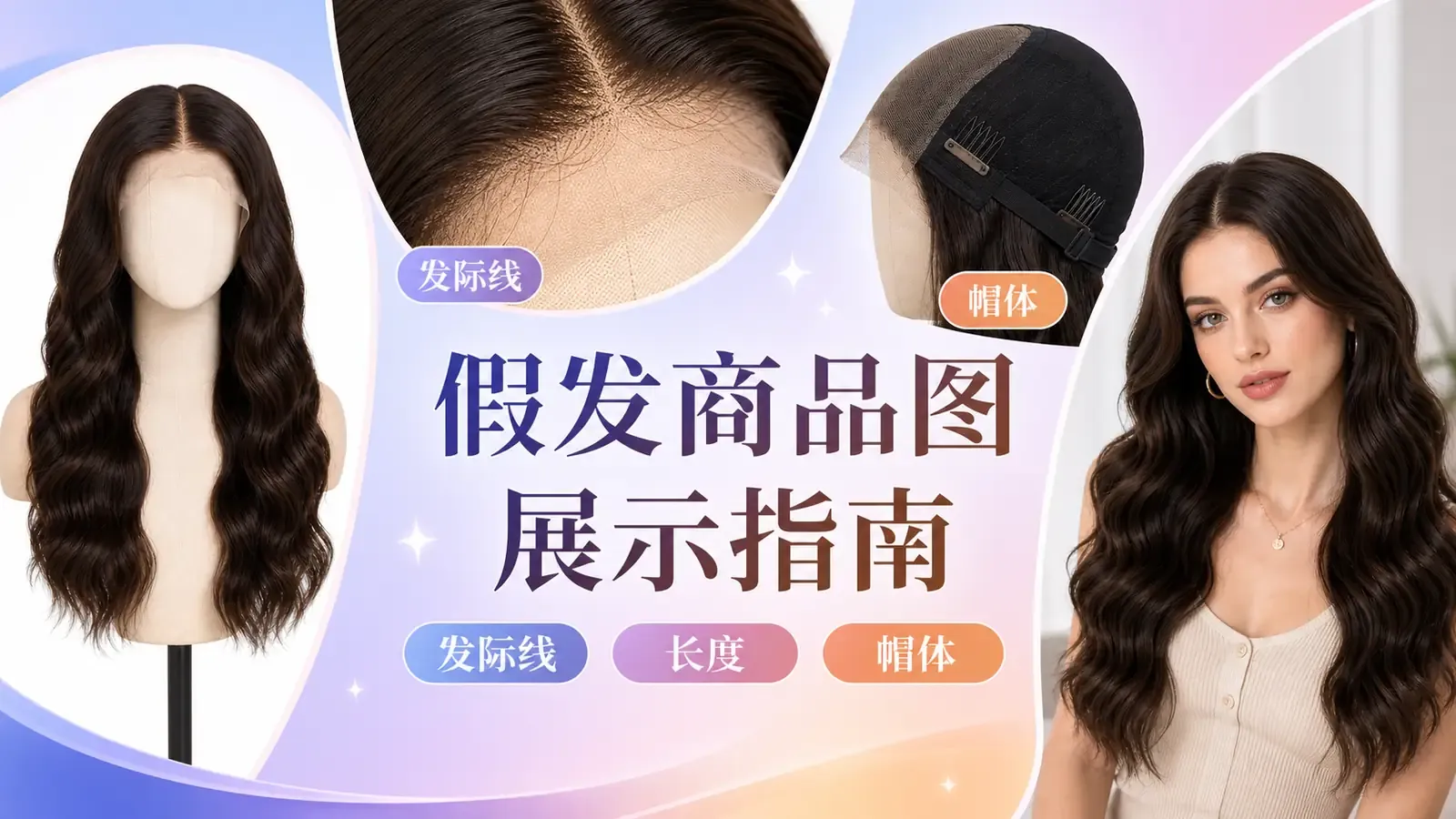
The frequent errors on wig product detail pages mainly stem from a lack of consistency in visual materials. For the same wig style, issues such as misaligned partings, lace front coverage obstructions, inconsistent curl patterns, and discrepancies in length measurements often occur. This results in a noticeable gap between what buyers receive and what is shown on the page, easily leading to misunderstandings and post‑purchase disputes.
When creating images for the wig category, it’s essential to adhere to core principles: prioritize capturing the wig’s structural integrity first, then showcase its styling effects. Images should objectively highlight key visual features, including the hairline boundary, lace coverage area, parting style, color, curl pattern, overall length, and cap construction. Professional specifications—such as material properties, hair density, heat resistance, and head circumference compatibility—as well as safety information must strictly follow brand‑approved guidelines, avoiding subjective judgments based solely on visual impressions.
To ensure zero deviation, compliance, and traceability of detail page visuals, a standardized image‑creation workflow must be established. Using the white‑background base image of the wig as a reference, unify lighting across all angles and maintain consistent product structure details. Supplement with close‑up shots of specific features, length annotations, internal structures, and multi‑angle model‑wearing images to enable cross‑verification among all visuals and establish a closed-loop data system.
This document outlines a practical Amazon wig detail page imaging guideline, covering everything from main image creation to lace hairline photography, length labeling, inner cap visualization, model‑wearing shots, and AI‑generated content compliance. It clearly defines the boundaries between manual retouching and AI‑generated imagery, addressing common issues like color discrepancies, curl drift, misleading length claims, and structural distortions, thereby helping teams produce high‑quality e‑commerce visuals that are structurally accurate, visually consistent, and compliant with platform review standards.
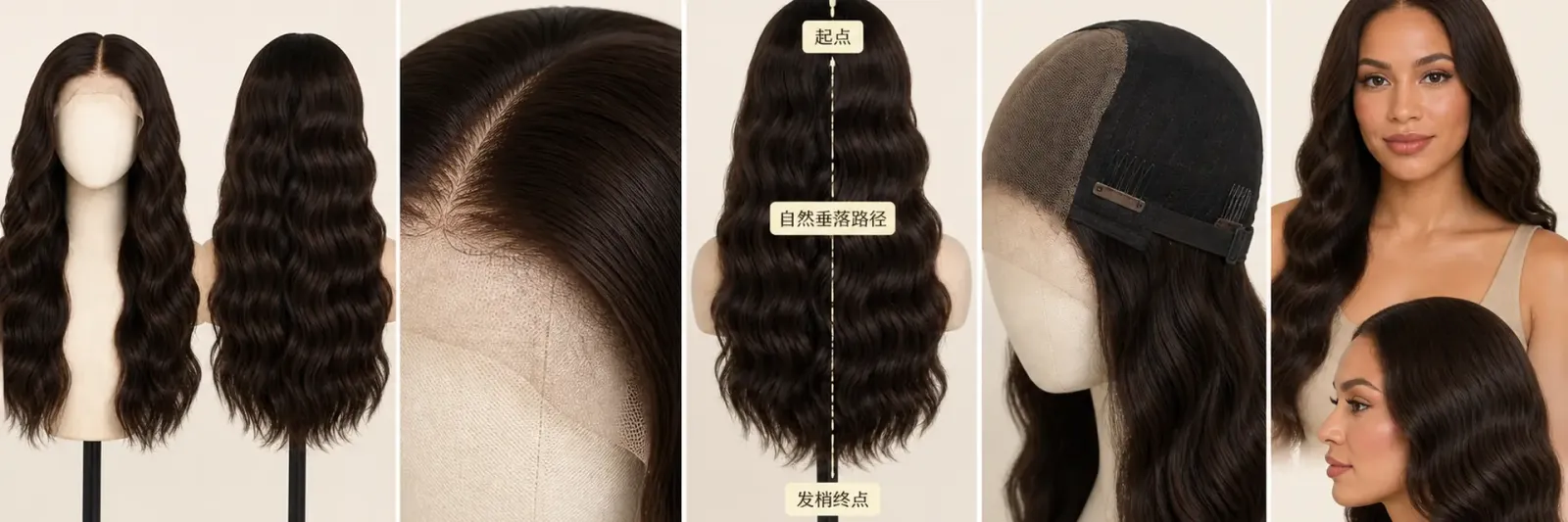
First, clearly identify the wig itself, then use localized views and wearing images to answer selection questions.
I. How detailed should an Amazon wig main image be?
The main image should allow buyers to clearly see the wig’s overall color, curl pattern, length profile, and tip condition. Accessories such as stands, combs, hairnets, or styling tools should not appear in the main image unless they’re part of a sales bundle. Amazon product detail pages permit sellers to include multiple images; the main image confirms the item being purchased, while additional angles can further explain structure and styling.
Flat lay images or mannequin head models cannot alter the parting line or hairline. If only one supplier image is available, you maysupplement it with front and back views of the wig on a white background, close-up shots of the hairline, and wearing‑on‑a‑mannequin images.However, please first provide reference images of the current color, curl pattern, lace border, and the inside of the cap.
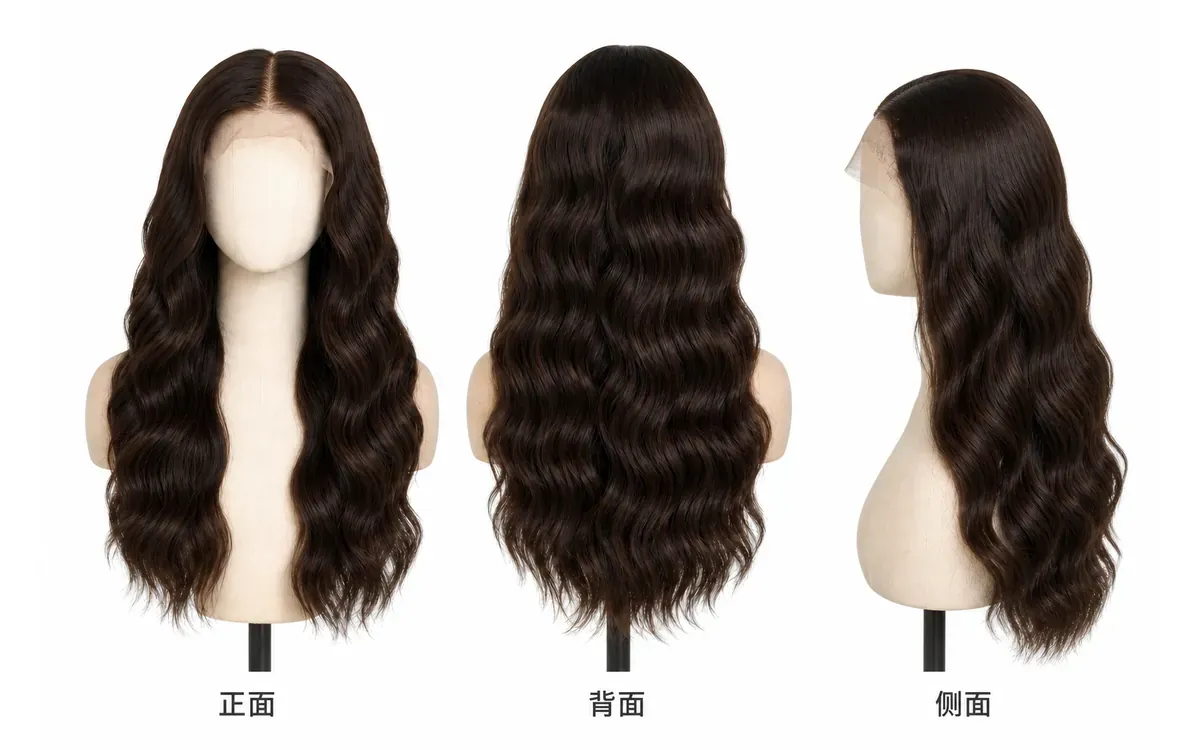
All three angles should maintain the same parting, curl rhythm, and tip length.
II. How to photograph the hairline and lace boundary without causing confusion
Lace front wigs feature a thin mesh base at the forehead area, mimicking a natural hairline. Close‑up shots should clearly show where the lace covers, where the hair begins, and the shape of the parting. A skin‑tone background is merely for easier visibility; do not edit the lace until it disappears entirely, nor obscure the true edge with dense stray hairs.
If the product includes pre‑trimmed lace or a pre‑plucked hairline (with reduced hair density at the front), images should only depict the current physical state. When dealing with minor stray hairs, background debris, or localized skin tone transitions, you may selectively refine the hairline edge and scattered stray hairs; however, any changes to the lace coverage, parting, or hair volume must be re‑photographed.
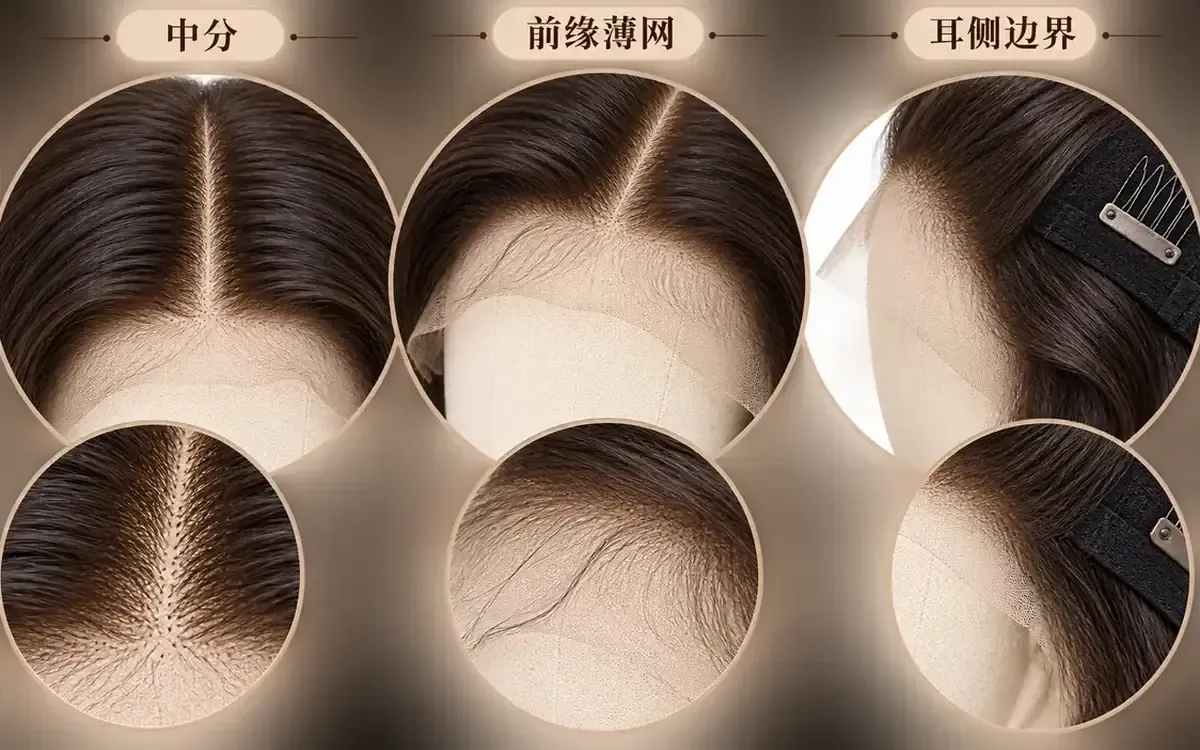
Close‑up shots must allow buyers to see the underlying structure; avoid using retouching to erase the lace boundary.
III. Wig length diagrams should first define the measurement path before displaying numerical values
Straight, wavy, and curly hairstyles have distinct visual lengths. The method used for measuring length—whether by natural droop or by straightening from crown to tip—should be explicitly specified by the brand. Arrows in images must follow the same measurement path; never pair straightened measurements with naturally curled styling photos without explaining the difference.
A model’s height can affect how the length appears, so it’s best to include both a schematic of the wig’s actual dimensions and a proportional illustration of how it will look when worn. Do not display unverified height, head circumference, or length measurements in the image.
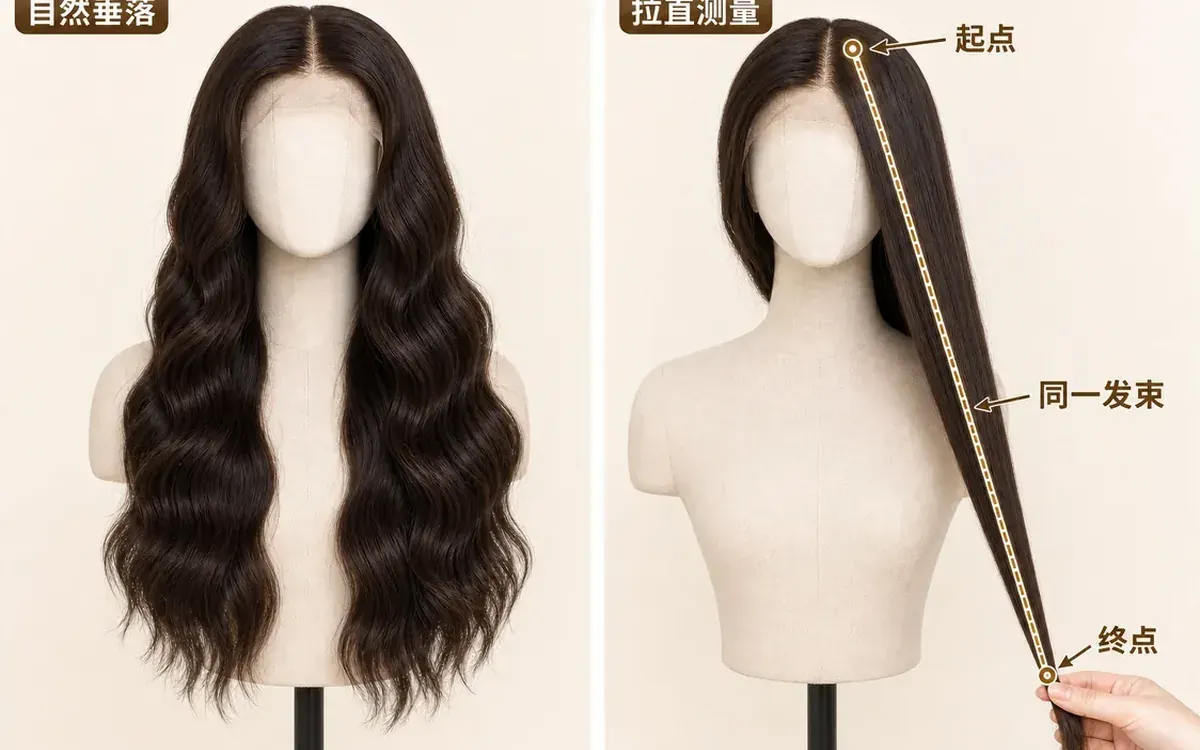
Only by clarifying the measurement conditions can buyers understand why the stated length differs from the perceived length when worn.
IV. Inner cap images should illustrate wearing methods and fastening mechanisms
Turn the wig inside out to clearly show the hairnet sections, elastic bands, adjustment buckles, comb teeth, and lace positioning. Each fastening component should appear only once, with connections matching the real product. If a particular version lacks a comb tooth or adjustable band, do not add these elements from similar styles.
Cap images can demonstrate visible structural details, but should not promise breathability, durability, or suitability for specific head sizes based solely on visuals. Head circumference ranges, materials, and wearing recommendations must still rely on brand‑approved information.
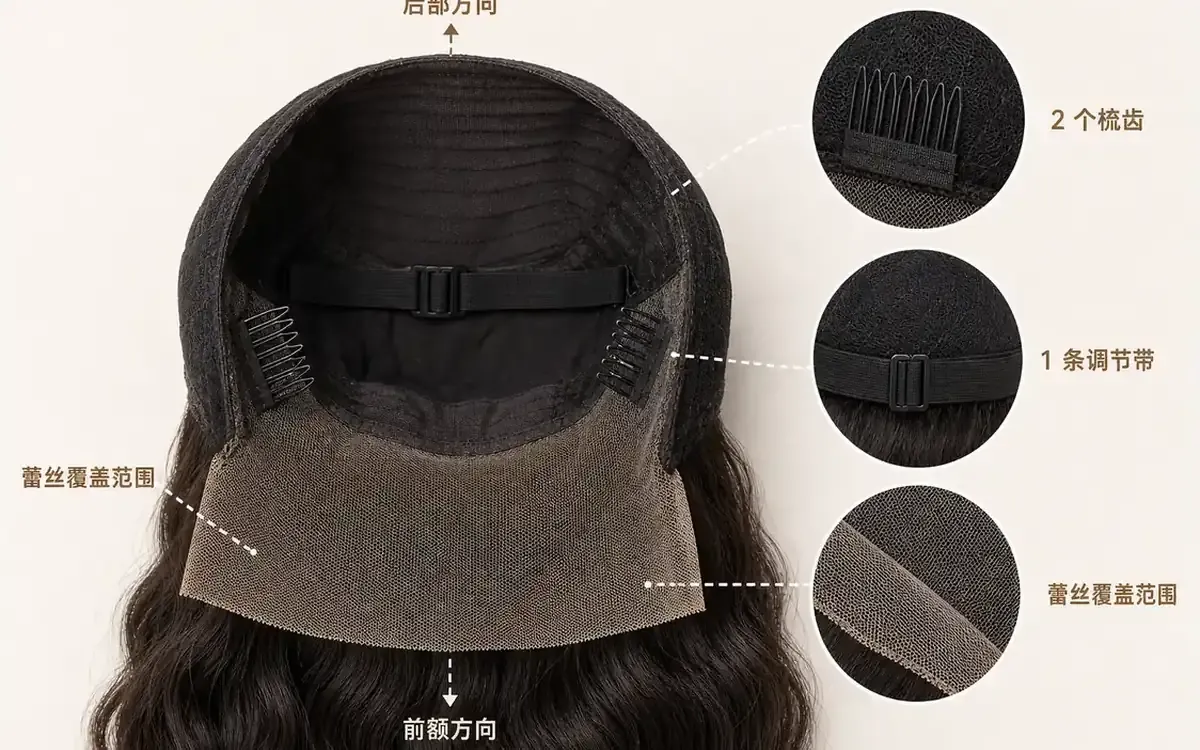
Inner cap images should verify the number of fasteners against reality and clearly indicate front-to-back orientation.
V. How to keep color, curl, and parting consistent across model‑wearing images
Wearing images should capture at least the front, side, and back views. The front shows the hairline and parting, the side reveals ear‑side transitions and voluminous contours, and the back highlights curl patterns and tip placement. All three images must feature the same adult model under consistent lighting, preventing skin tone or ambient colors from skewing the perceived hair color.
When adding model images, you canuse accessory try-ons to generate front, side, and back views of the same wig.After generation, carefully check each image for parting lines, curl direction, hair tip placement, and ear-side lace, ensuring that no hair extends through the ears, shoulders, or collar.
If the wearing images are generated using AI, you can still use the performer‑identification tool to organize images containing AI‑generated characters before submitting the files to Amazon. These tags are solely for file‑information management and do not indicate that the images have passed platform review; hairlines, lengths, and cap constructions must still be manually verified.
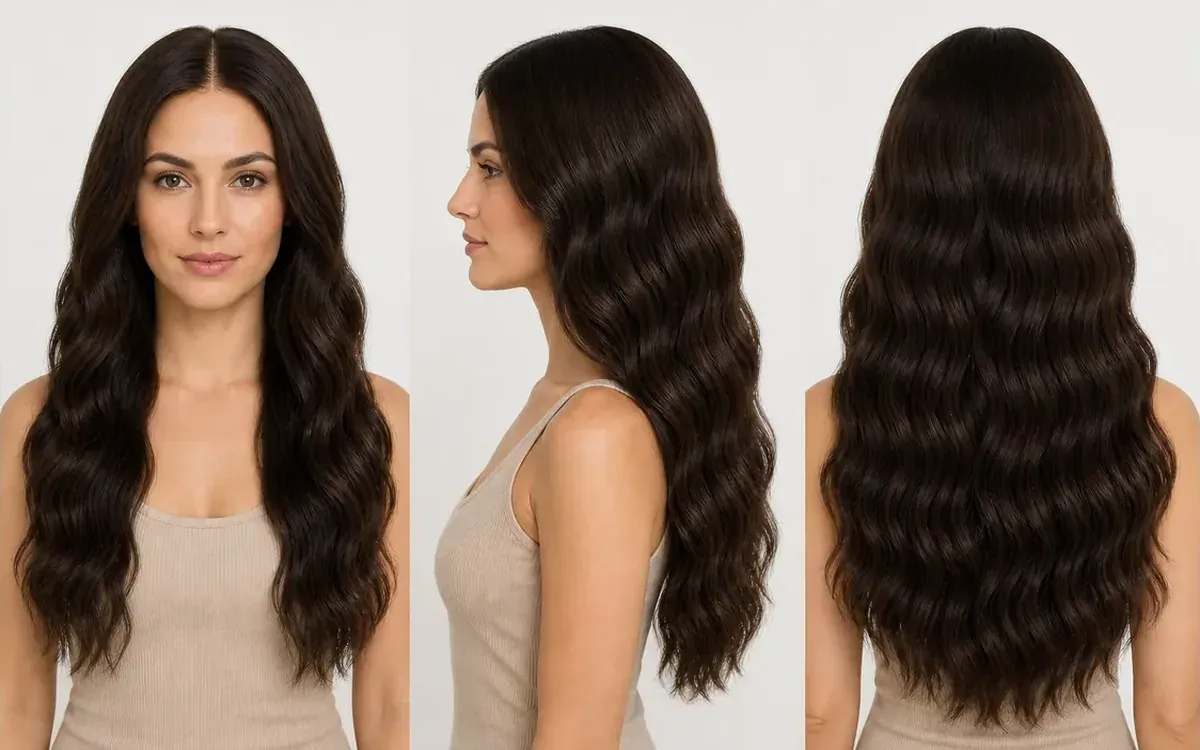
The model and lighting should remain consistent across all three images, which together demonstrate the same wig’s appearance when worn.
VI. Common Questions About Wig Product Images on Amazon
1. When the same hair color appears different indoors versus under sunlight, which image should be retained?
Both scenarios can be retained, but you must include a neutral‑light color reference image and avoid strong filters in the scene photos. Color names must correspond to variant images, and warm‑light photos cannot be used to substitute for another hair color.
2. Can wigs have bangs trimmed or partings altered in product images?
Only create corresponding images if the product page explicitly offers that style or an optional variant. For styling inspiration images, clearly label them as illustrative examples—do not lead buyers to believe the actual product has already been styled in the same way.
3. After shipping, the curl pattern may become flattened. How should images showing the wig before and after restoration be arranged?
Use a baseline image of the product in its normal, restored condition according to the brand’s recommended care instructions. You may also add a separate photo illustrating unpacking and tidying up, clearly indicating this is the temporary state following transit. Do not present overly styled curls as the expected condition upon opening the package.

AI Image Tool Built for E-commerce Teams
For new product launches, advertising, and promotional campaigns, use AI to generate product images, scene visuals, ad creatives, and short video assets — making content production faster.